

If you have ever run a Meta ad pointing to a Spotify track and asked the obvious question, “how do I see how many streams actually came from this ad,” you have run into one of the hardest measurement problems in music marketing.
Spotify is not a website you control. You cannot install the Meta Pixel on it. You cannot place a Conversions API event when someone presses play. By default, your Ads Manager will tell you how many people clicked, and Spotify for Artists will tell you that your streams went up. Connecting those two data sets is where almost every artist, label, and agency loses the plot.
This guide breaks down how Spotify attribution actually works for paid social, what data is available, where the gaps are, and what infrastructure you need to measure real ROI on Meta ads driving streams.
TL;DR
You cannot natively attribute Spotify streams to Meta ad clicks because Spotify does not expose conversion events to the Meta Pixel. To close the loop you need a dedicated attribution layer purpose built for music: a tracked entry point between the ad click and the Spotify destination, with proper pixel and Conversions configuration, and Spotify side measurement that goes beyond landing page proxies. Without this, every metric you see in Ads Manager is a guess at best.
Why Spotify Attribution Is Broken by Default
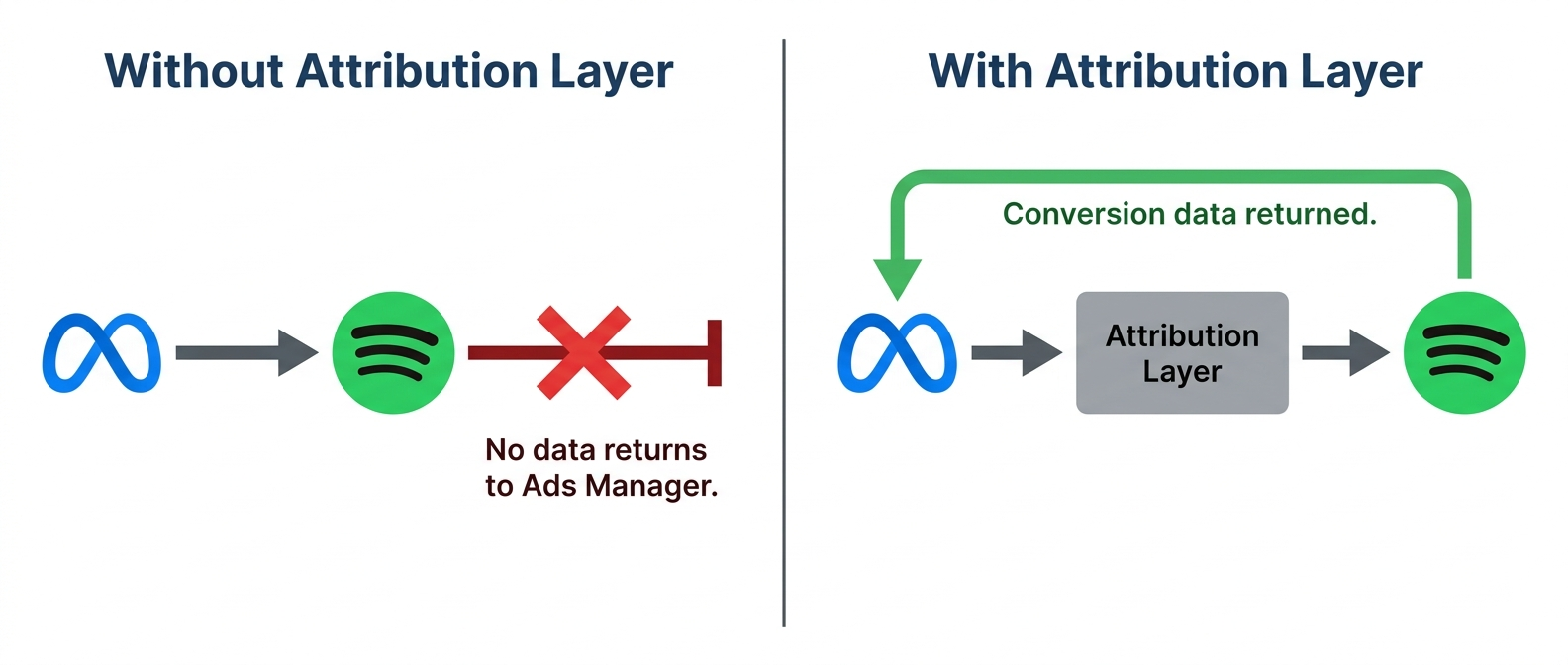
Most paid acquisition channels assume a closed loop. You run a Meta ad, the user clicks, they land on a site you own, your pixel fires a conversion event, and Meta attributes the conversion back to the ad creative, audience, and placement.
Spotify breaks this loop in three ways.
First, Spotify is a third party destination. When you send traffic to open.spotify.com/track/..., your tracking ends at the click. You cannot drop a pixel on a Spotify page, and Spotify does not pass conversion data back to Meta.
Second, Spotify does not publish a public conversion API for ad platforms. Unlike Shopify or WooCommerce, where the platform itself can pass purchase events to Meta via CAPI, Spotify has no comparable integration for streams or listeners.
Third, the user journey is asynchronous and multi device. Someone might click your ad on mobile, save the song, and listen on their car speaker three days later. The “conversion” is not a single transaction. It is a behavior that unfolds over weeks.
The result is that Meta Ads Manager will happily report link clicks, landing page views, and CTR, but none of that tells you whether your spend produced listeners.
What Spotify Natively Tells You
Before adding any third party tooling, it helps to understand what Spotify actually exposes.
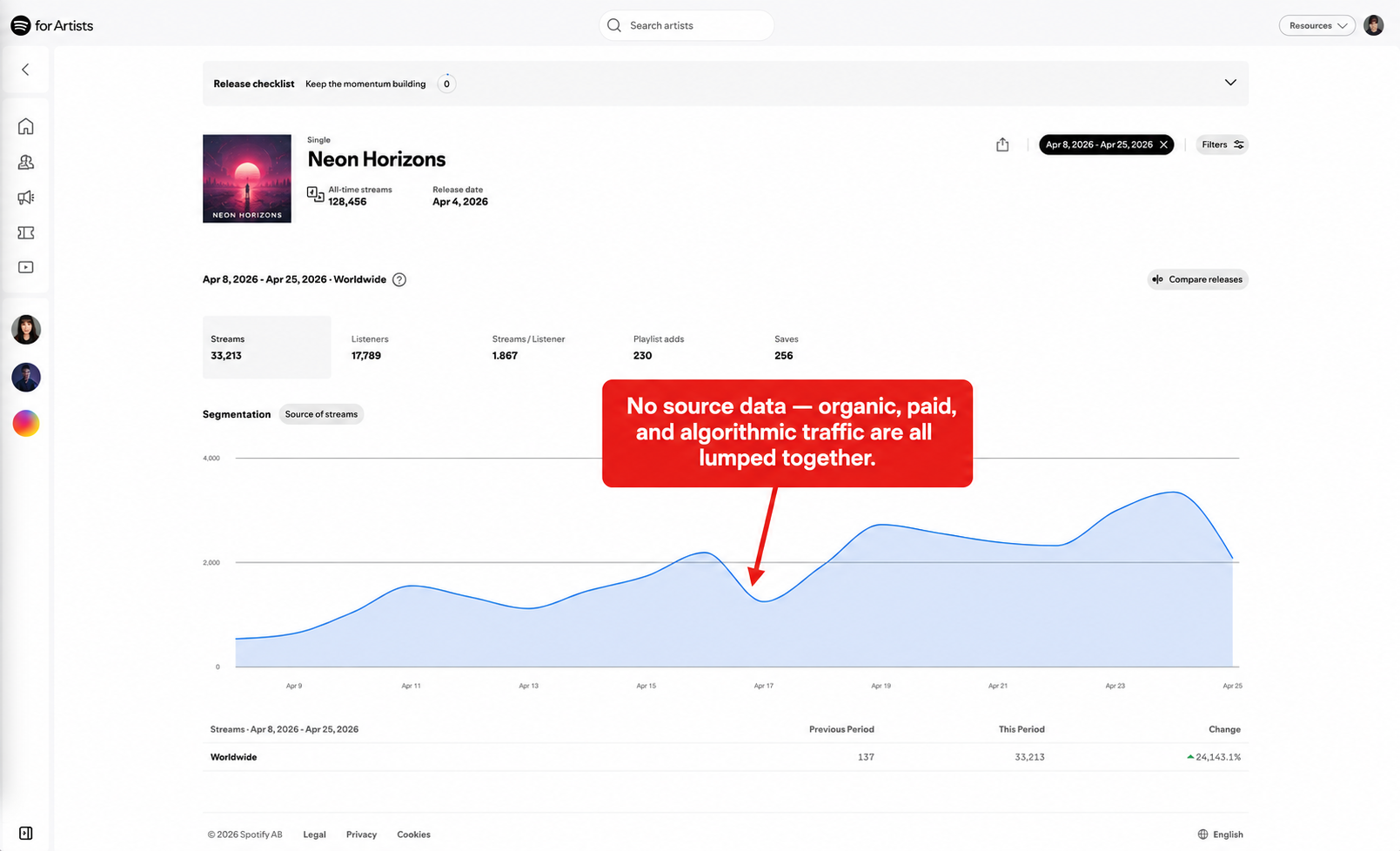
Spotify for Artists gives you aggregate data: total streams, listeners, followers, saves, playlist adds, and geographic breakdowns. You can see daily and weekly trends. What you cannot see is the source. A spike in listeners on Tuesday could be from your Meta campaign, an editorial playlist add, a TikTok creator, or organic discovery through Spotify’s recommendation algorithm.
Spotify Ad Studio offers attribution for ads running inside Spotify itself, but that is a separate product. It does not help you measure Meta or TikTok performance.
So the native picture is: Spotify shows you what happened, but never where it came from. To answer the source question, you need an attribution layer sitting between your ads and Spotify.
Why the Meta Pixel Alone Is Not Enough
A common first attempt is to use a UTM tagged link or rely on Meta’s click reporting and call it attribution. This produces a number, but the number is meaningless for music marketing for two reasons.
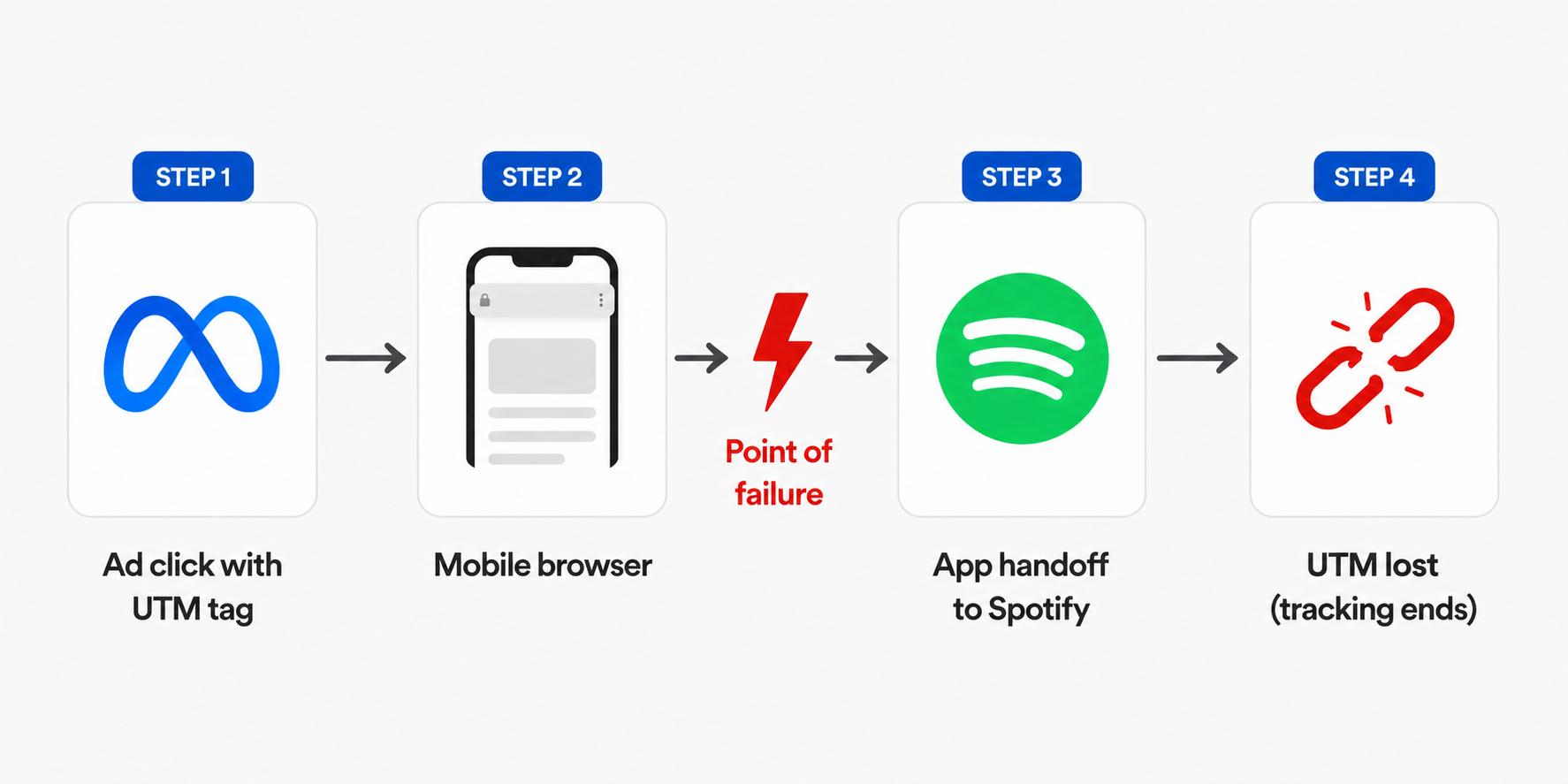
A link click in Meta Ads Manager records that the ad was tapped. It does not record whether the user reached Spotify, opened the app, pressed play, or saved the track. Drop off between click and stream is significant, especially on mobile where the Spotify app handoff can fail or the user can bail at the app store install prompt.
UTM parameters get stripped when the user hands off to the Spotify app. Even if you tag your destination URL, Spotify for Artists has no UTM reporting layer. You will see traffic data in your link shortener and stream data in Spotify, but the two never reconcile.
The pixel can only fire on a page you control. Which means you need infrastructure in between.
The Attribution Layer: What You Actually Need
To measure paid social driving Spotify, you need a dedicated attribution platform purpose built for music. Generic redirect services and link shorteners will not get you there. The platform needs to handle three jobs at once.
Pixel and CAPI configuration. The Meta Pixel and TikTok Pixel need to fire correctly on the tracked entry point, paired with Conversions API for server side redundancy. This matters more every iOS release as browser tracking is increasingly restricted by ITP and ATT. Without server side events, you lose meaningful conversion volume on iOS.
Custom conversion events tuned for music. Standard ecommerce events do not map cleanly to streaming behavior. The platform needs to distinguish between top of funnel clicks, intent signals, and meaningful Spotify engagement, then expose those as separate optimizable events.
Spotify side measurement. This is the part that separates serious music attribution tools from basic redirect services. The platform needs a way to confirm actual Spotify outcomes, not just landing page arrivals. Without this, you are still optimizing on proxies, just better looking ones.
The pixel layer tells you that someone engaged with your ad. The Spotify side measurement tells you whether that engagement turned into a listener.
Metrics You Should Actually Be Tracking
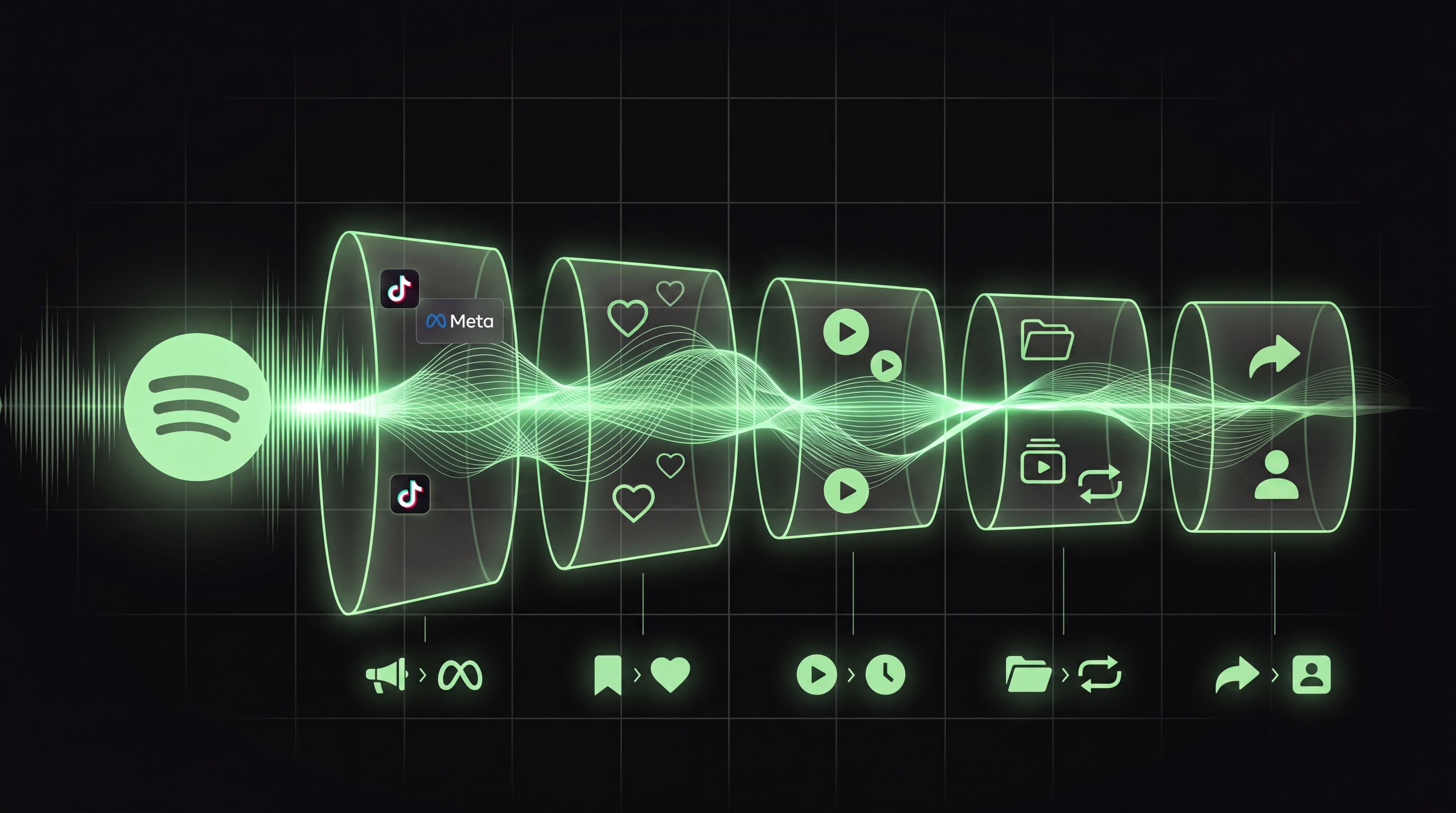
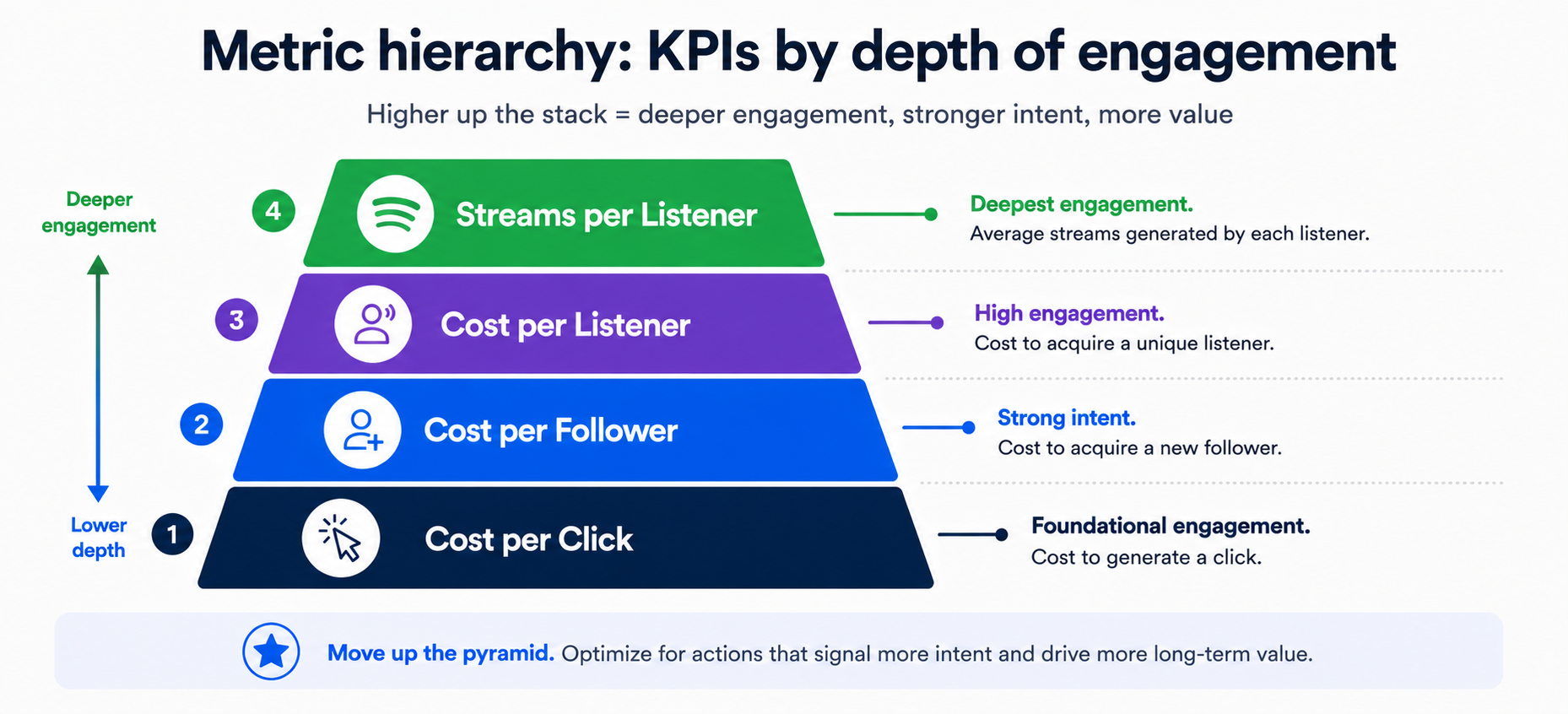
Once you have proper attribution in place, the conversation shifts from “did anyone click” to which performance metrics actually matter. For Spotify focused paid acquisition, four metrics carry most of the signal.
Cost per listener (CPL). Ad spend divided by net new listeners on the track or artist. The most outcome aligned metric for catalog growth.
Cost per follower. Ad spend divided by new followers. Particularly important for artist development and for triggering Spotify’s algorithmic recommendations, which weight follower growth heavily.
Cost per save. Ad spend divided by tracks saved. Saves are the strongest engagement signal Spotify uses for Release Radar, Discover Weekly, and personalized playlists.
Cost per stream (CPS). Ad spend divided by attributable streams. Useful for understanding payout economics, though it should never be the only metric because streams are downstream of the actions above.
The right primary KPI depends on goal. New release campaigns optimize for saves and pre saves. Catalog campaigns optimize for cost per listener. Artist development campaigns optimize for follower growth.
What you should not do is optimize on shallow events. If your attribution platform fires a generic conversion event for any interaction, including raw clicks or page views, Meta will deliver toward whatever is cheapest, which is almost never the user most likely to stream. The same applies to optimizing for landing page views, which captures intent but not action.
Common Mistakes That Wreck Spotify Attribution
A short list of the errors that show up most often in audits of underperforming music campaigns.
Sending Meta ads directly to open.spotify.com with no attribution layer in between. Zero attributable conversions. You are flying blind.
Using a redirect link but not connecting the Meta Pixel and CAPI properly. The link works, but Ads Manager cannot optimize because no conversion events are flowing back.
Optimizing the campaign for Link Clicks. Meta will deliver the cheapest clicks, which are almost never the users most likely to stream. Optimize for the conversion event whenever possible.
Mixing organic and paid traffic in the same tracked link without segmentation. If you cannot separate sources, your cost per listener calculation will include free traffic and overstate paid efficiency.
Running the campaign with no Spotify side confirmation at all. Landing page arrivals are correlated with streams but they are not the same thing. Treating one as a proxy for the other will mislead your optimization.
Not setting up custom conversion events for different funnel depths. If your pixel fires the same event for a click through, a pre save, and a follow, you cannot optimize toward the most valuable action.
How Soundlink Closes the Attribution Loop
Soundlink is a music marketing platform with paid campaigns built natively against the attribution problem described above. The platform is purpose built for artists, labels, agencies, and curators running paid acquisition on Spotify through Meta and TikTok.
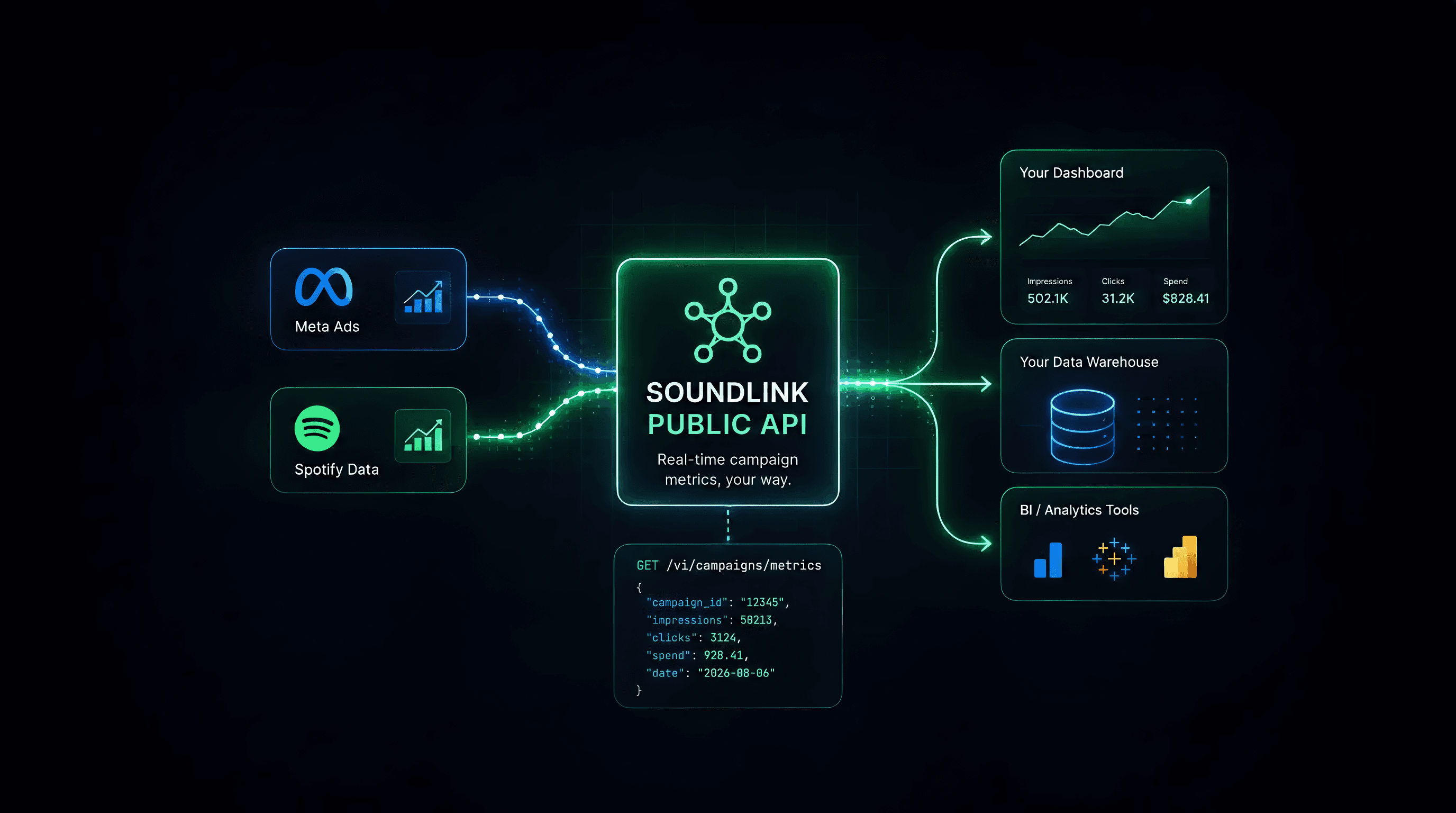
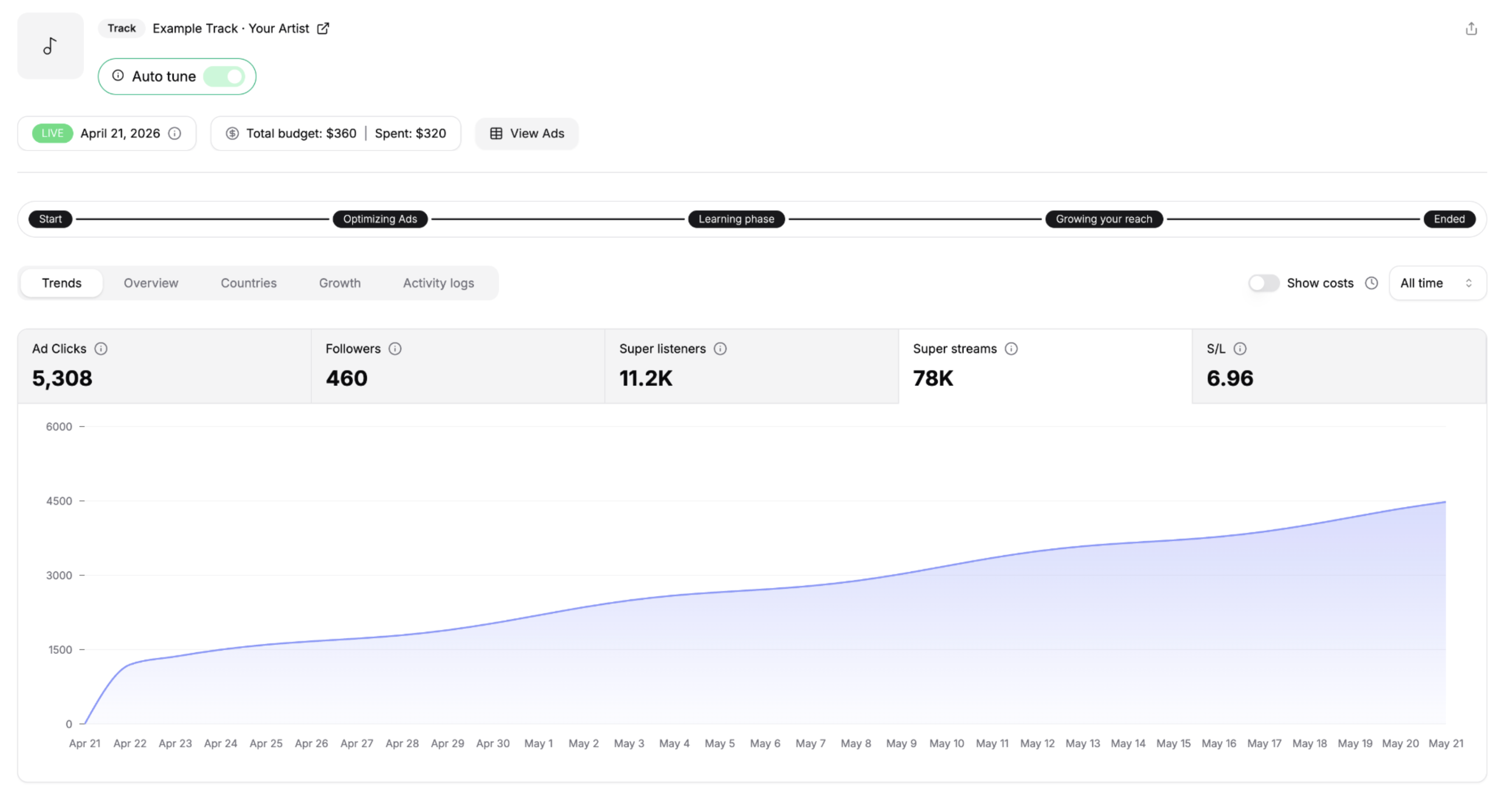
Campaigns are configured against a Spotify track or playlist link. Soundlink handles the attribution infrastructure end to end: pixel and CAPI setup, conversion event configuration tuned for music, and a reporting view that combines Meta delivery data with Spotify engagement outcomes in a single dashboard.
The platform reports the metrics that actually matter for music marketing, including cost per listener, cost per follower, and cost per save, calculated and reconciled automatically rather than reverse engineered from two disconnected dashboards. Attribution windows are set appropriately for Spotify behavior, conversion events are structured so Meta optimizes toward real engagement rather than top of funnel clicks, and reporting ties ad spend to the Spotify outcomes you actually care about.
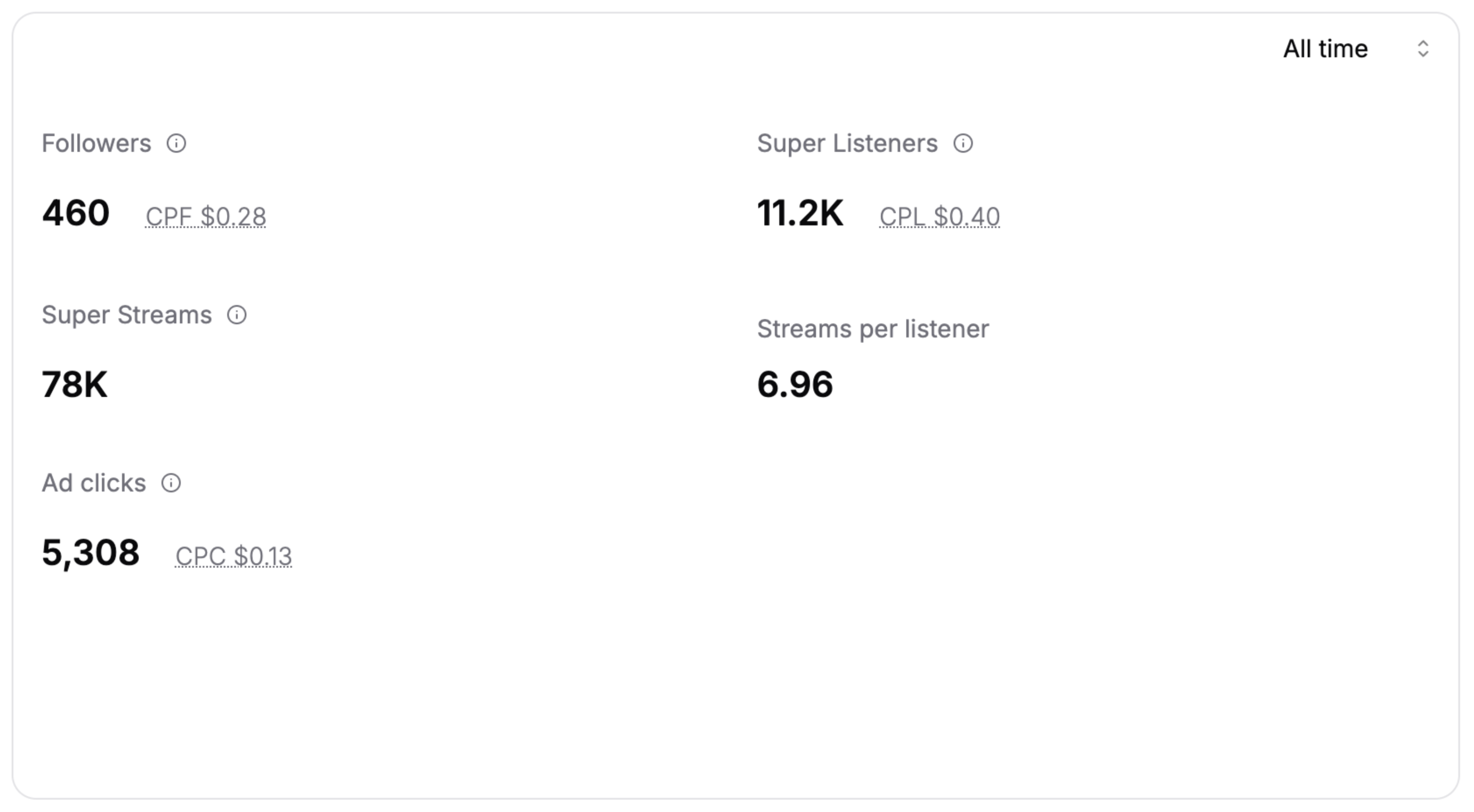
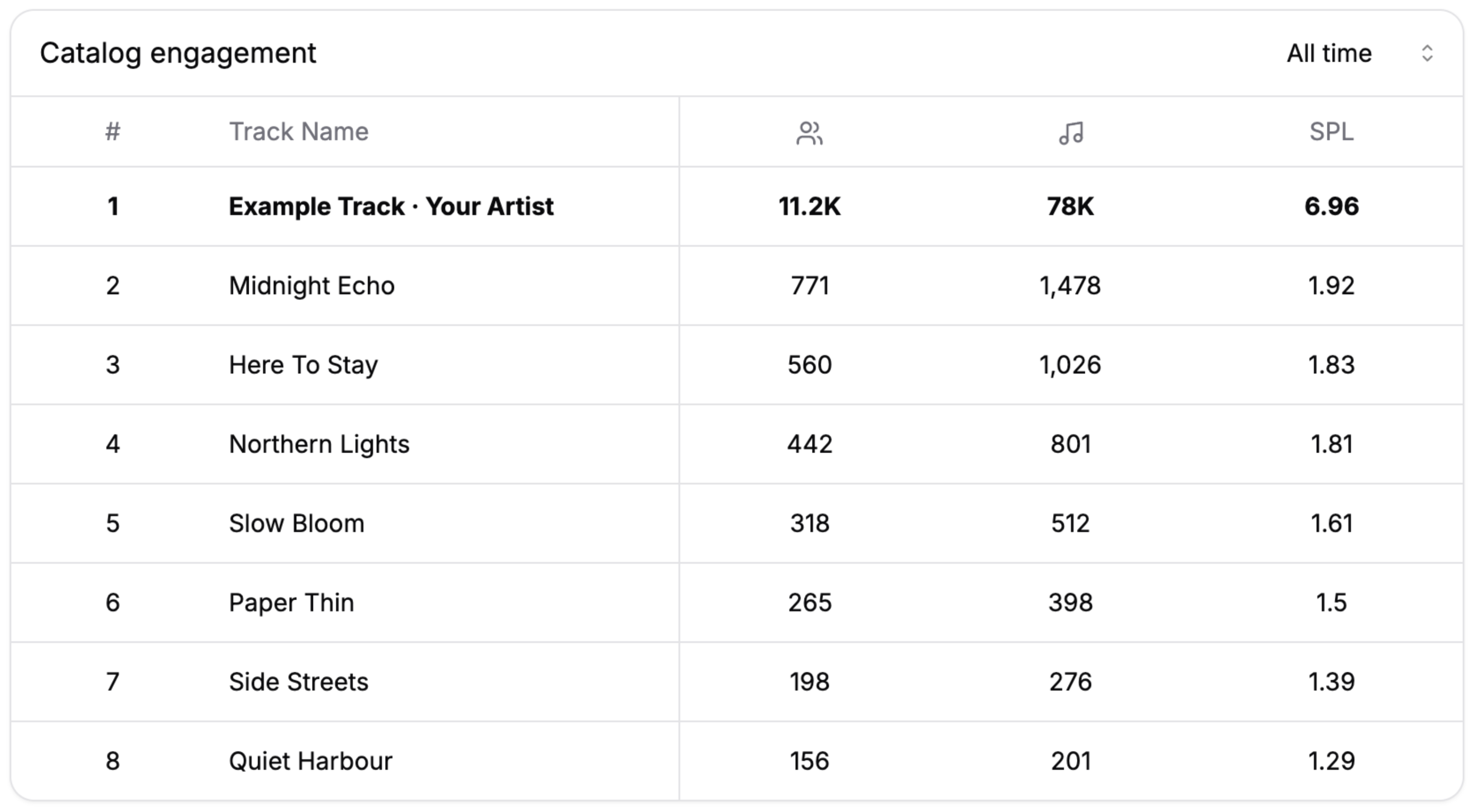
For full Soundlink documentation on the paid campaigns flow, see our paid campaigns overview at getsoundlink.com.
Frequently Asked Questions
How do I see how many streams came from my Meta ads?
You need a music specific attribution platform between your ad and Spotify, with the Meta Pixel and Conversions configured correctly, and Spotify side measurement that goes beyond landing page tracking. Without this, Ads Manager only reports clicks and Spotify for Artists only reports aggregate streams. Neither connects to the other.
Can I install the Meta Pixel directly on Spotify?
No. Spotify is a third party platform and does not allow external pixels or conversion API integrations for stream events. You must use a tracked entry point that you control.
What is the best attribution window for Spotify campaigns on Meta?
28 day click is the recommended setting for most music campaigns. Spotify engagement is delayed compared to direct response purchases, and a 7 day window will under report conversions that materialize through algorithmic recommendations or playlist additions weeks after the initial click.
What is the difference between an attribution platform and a UTM link?
A UTM link adds tracking parameters to a destination URL. It does not give you a page on which to fire pixels and does not survive the handoff to the Spotify app. An attribution platform provides the full tracking infrastructure: pixel firing, server side events, conversion measurement, and reporting independent of where the user lands afterward.
What is a good cost per listener on Spotify Meta ads?
Benchmarks vary significantly by genre, market, and audience strategy. For most independent artists running ads in tier one markets, cost per listener typically falls between 0.40 and 0.65 USD. Comparing across genres without context is misleading.
Should I optimize for Conversions or Link Clicks?
Optimize for Conversions whenever you have a tracked event flowing back through the pixel and CAPI. Link Clicks optimization tells Meta to find the cheapest clicks, which correlates poorly with stream behavior. Conversions optimization aligns delivery with the action you actually want.
Can I track TikTok ads to Spotify the same way?
Yes, the attribution architecture is the same. The TikTok Pixel installs on the tracked entry point and the same Spotify side measurement applies regardless of the originating ad platform. Soundlink supports both Meta and TikTok in the same campaign flow.
How long does it take for Spotify attribution data to appear in reporting?
Pixel events appear in Meta Ads Manager within minutes. Spotify side conversion data is typically near real time. Stream data in Spotify for Artists is updated daily, so reconciling streams to ads has a one to two day lag.
If you are running paid social to Spotify without a proper attribution layer in place, you are spending money you cannot measure. Fixing that is the single highest leverage change in most independent music marketing setups, ahead of creative testing, audience iteration, or budget allocation. Build the attribution loop first. Optimize the campaign second.