

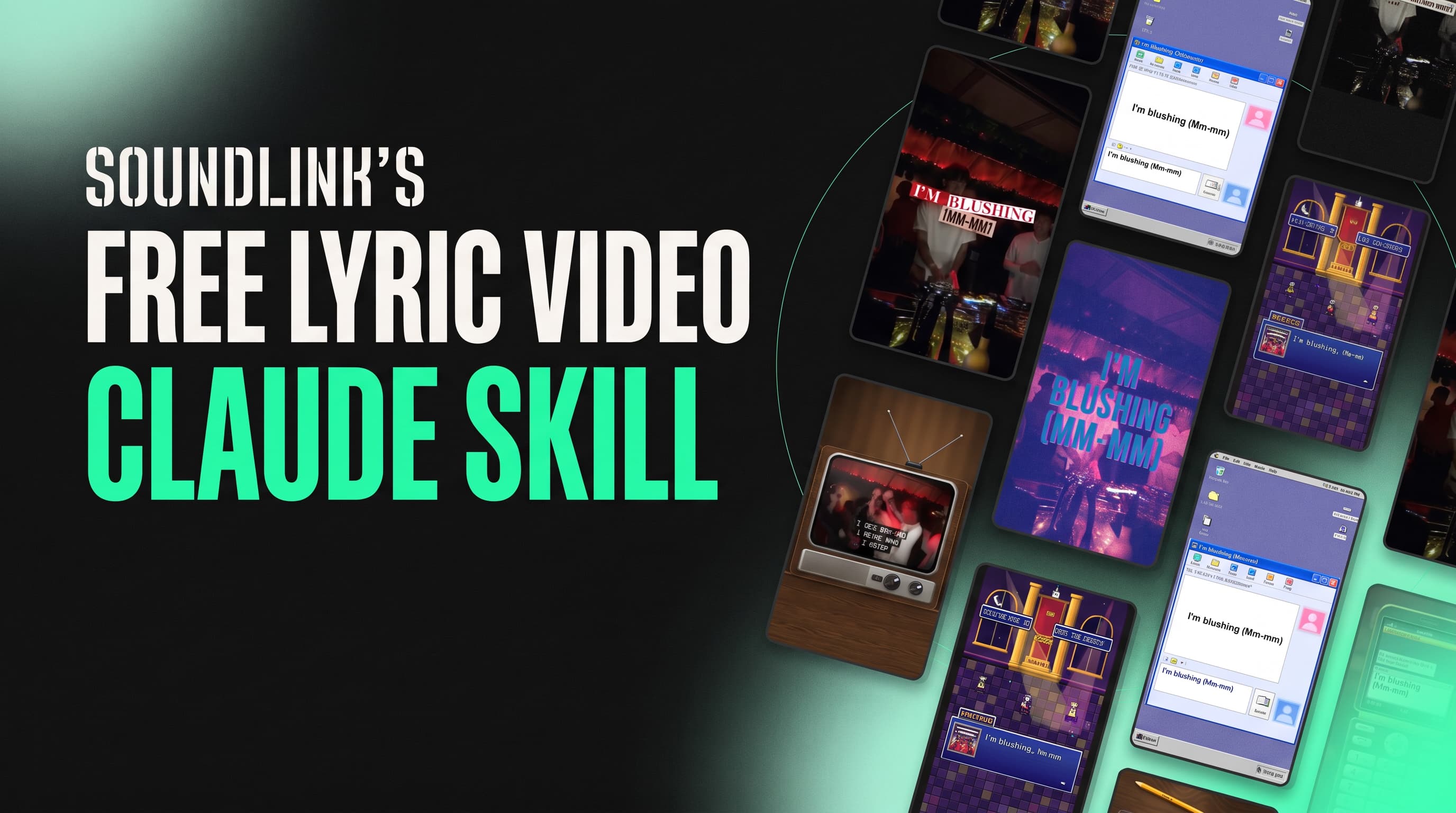

TL;DR: The Lyric Video Maker is a free, open source Claude skill that turns a song, its lyrics and a background clip into vertical 9:16 lyric videos. You give Claude the audio, the lyrics and the section of the song you want. The skill times every word against the vocals, renders a timing check for your approval, shows one frame of all 50 styles on your own footage, then renders only the styles you pick. It runs locally in Claude Code and is free to download.
Why Lyric Videos Are a Release Staple
A lyric video is the cheapest piece of short form content an artist can make for a release. It needs no shoot, no performer on camera and no new footage. Any clip from the artist’s camera roll, a live set or a visualizer works as the background.
Lyric videos also do a specific job. They put the hook in front of the viewer as text, so the line registers even with the sound off. On TikTok, Instagram Reels and YouTube Shorts, that is often the difference between a scroll and a save.
The problem is volume. One lyric video per release is not a content plan. Testing hooks, sections and visual styles means producing ten or twenty variations per track. In a traditional editing workflow, each one means retyping lyrics, nudging keyframes and exporting again.
The bottleneck in lyric video production is not design. It is word timing.
What Makes a Lyric Video Hard to Produce at Scale
Three things take most of the time in a manual workflow.
Word timing: Every word has to appear on the sung syllable, not a frame late. Late text reads as out of sync, even when viewers cannot say why. Timing a 20 second section by hand in Premiere or After Effects takes longer than designing it.
Finding the start: Most tracks open with an intro, a riser or silence. The clip has to start where the song actually hits, or on a chosen section, with a beat of lead in so pickup notes are not cut off.
Style exploration: Picking a look usually means building it first. Teams settle on one or two templates because trying and testing more costs time and money.
Online lyric video makers remove some of this work, but they tend to share the same limits: a handful of templates, watermarks on free plans, auto transcribed lyrics that need correcting, and no way to render a batch of styles from one timing pass.
What the Lyric Video Maker Skill Does
The Lyric Video Maker is a Claude skill: a folder of instructions and scripts that Claude Code loads when you ask for a lyric video. You talk to Claude in plain language. The skill runs the steps.
Input: the song (a file or a link), the lyrics as plain text or an LRC file, a background video clip, and the section of the song to use.
Output: 1080×1920 (or 4k) MP4 lyric videos, one per style you choose, ready for TikTok, Reels and Shorts.
The skill never transcribes lyrics from the audio. It only uses speech recognition to time the text you supply, so the words on screen are exactly the words you wrote.
How It Works, Step by Step
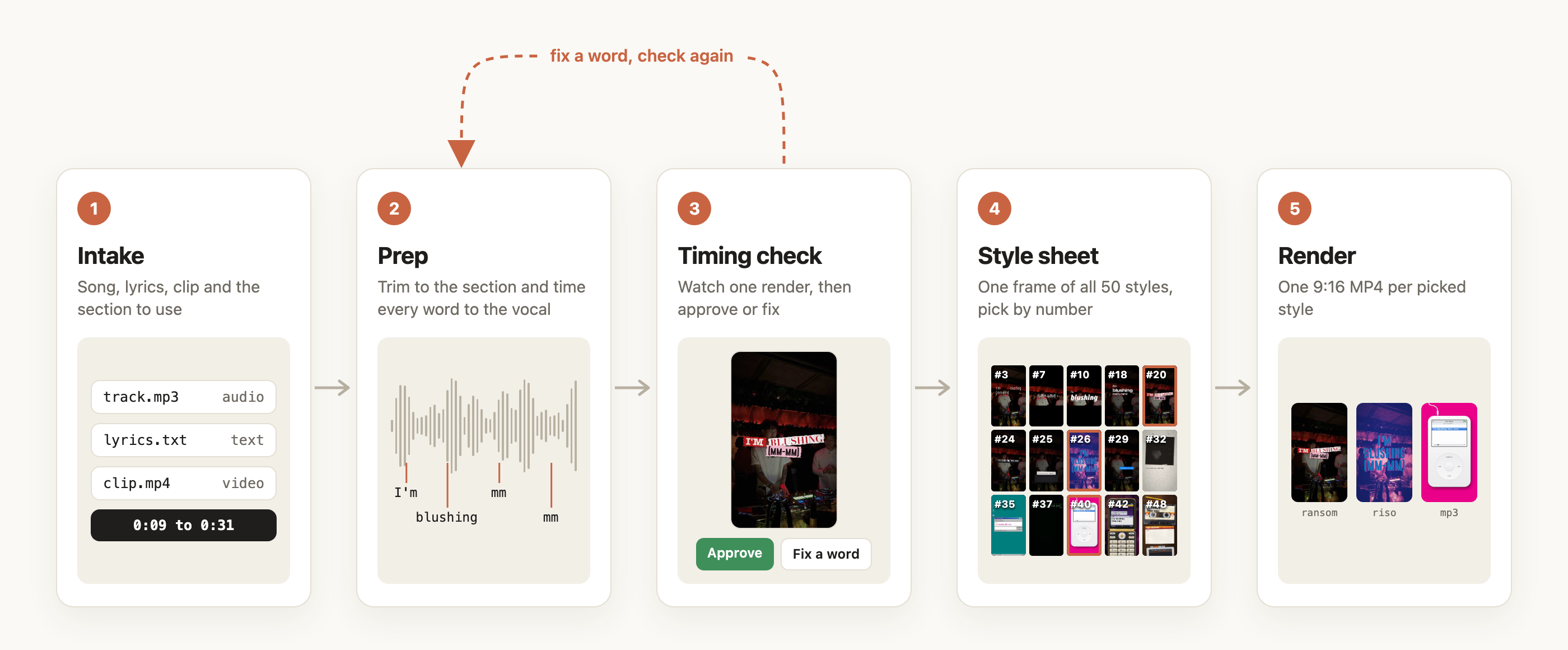
1. Intake
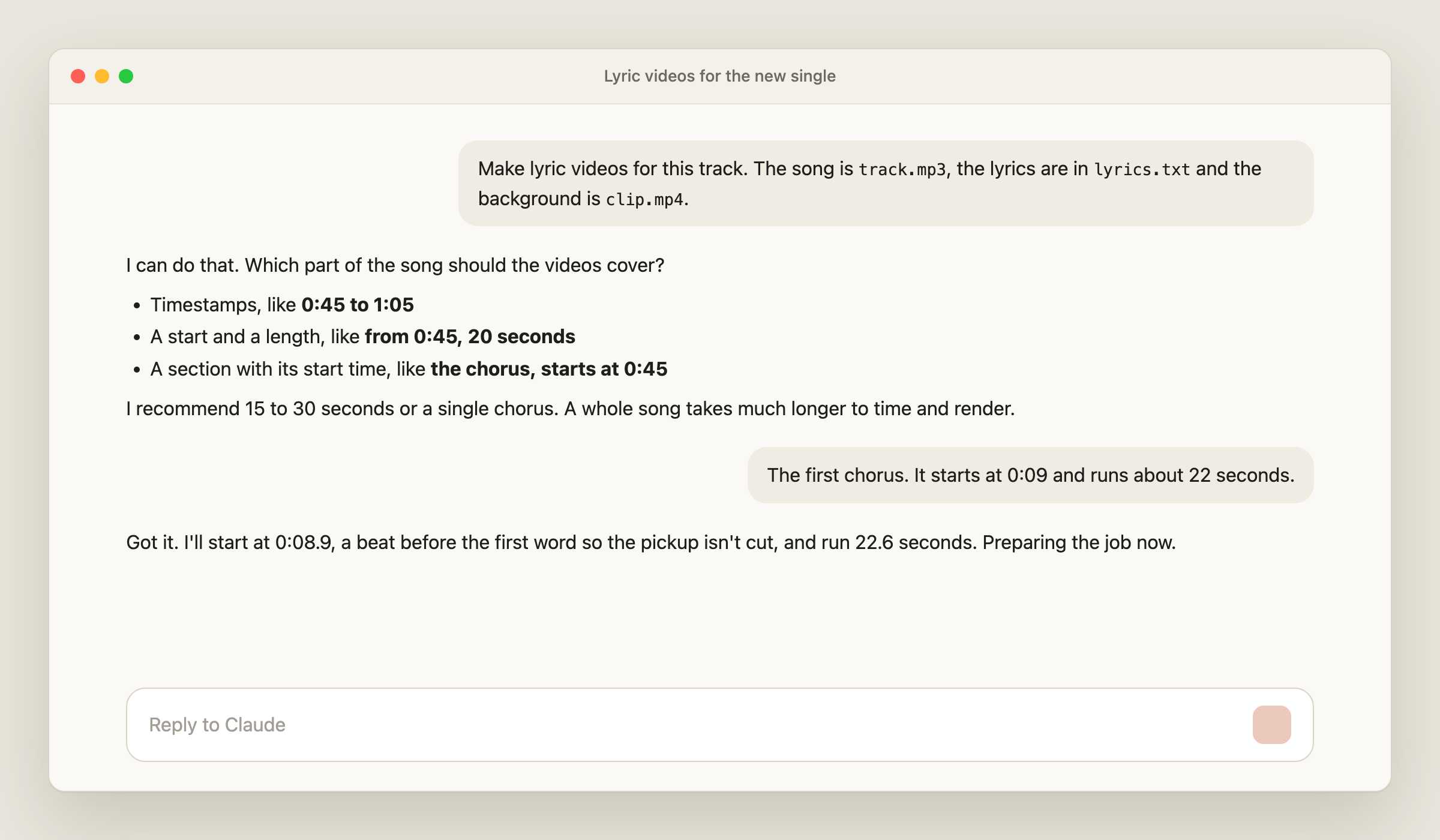
Claude asks for the audio, the lyrics, the background clip and the section of the song. The section is required. Give it as timestamps (“0:45 to 1:05”), a start and a length (“from 0:45, 20 seconds”) or a named section with its start time (“the chorus, starts at 0:45”).
A 15 to 30 second section, or a single chorus, is the recommended length. A full song takes considerably longer to time and render, and the skill asks you to confirm before running one.
2. Prep
The skill trims the song to your section, isolates the vocal from the mix, and times each word against it. Repeated lines are matched against each other so a chorus lands the same way every time. Each word then snaps to the moment the vocal starts.
The result is an LRC file with a timestamp per word. Prep runs in the background and typically takes one to three minutes.
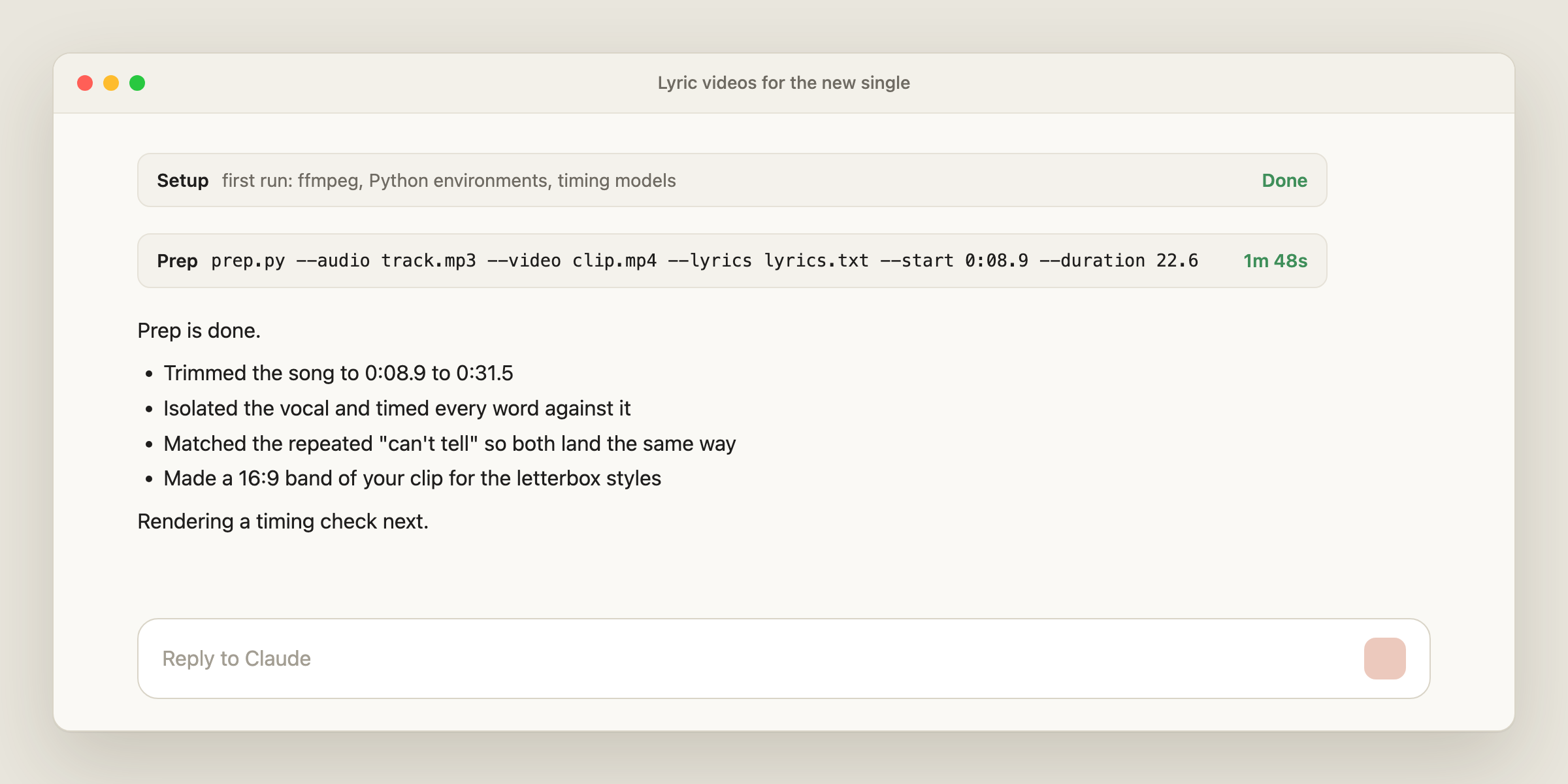
3. Timing check
Before rendering anything else, the skill renders a single timing check video in the ransom cutouts style and asks you to approve it.
The rule the engine follows: a word may land a touch early, never late. If one word is off, Claude edits its timestamp in the LRC file and renders the check again. Nothing else renders until you approve the timing.
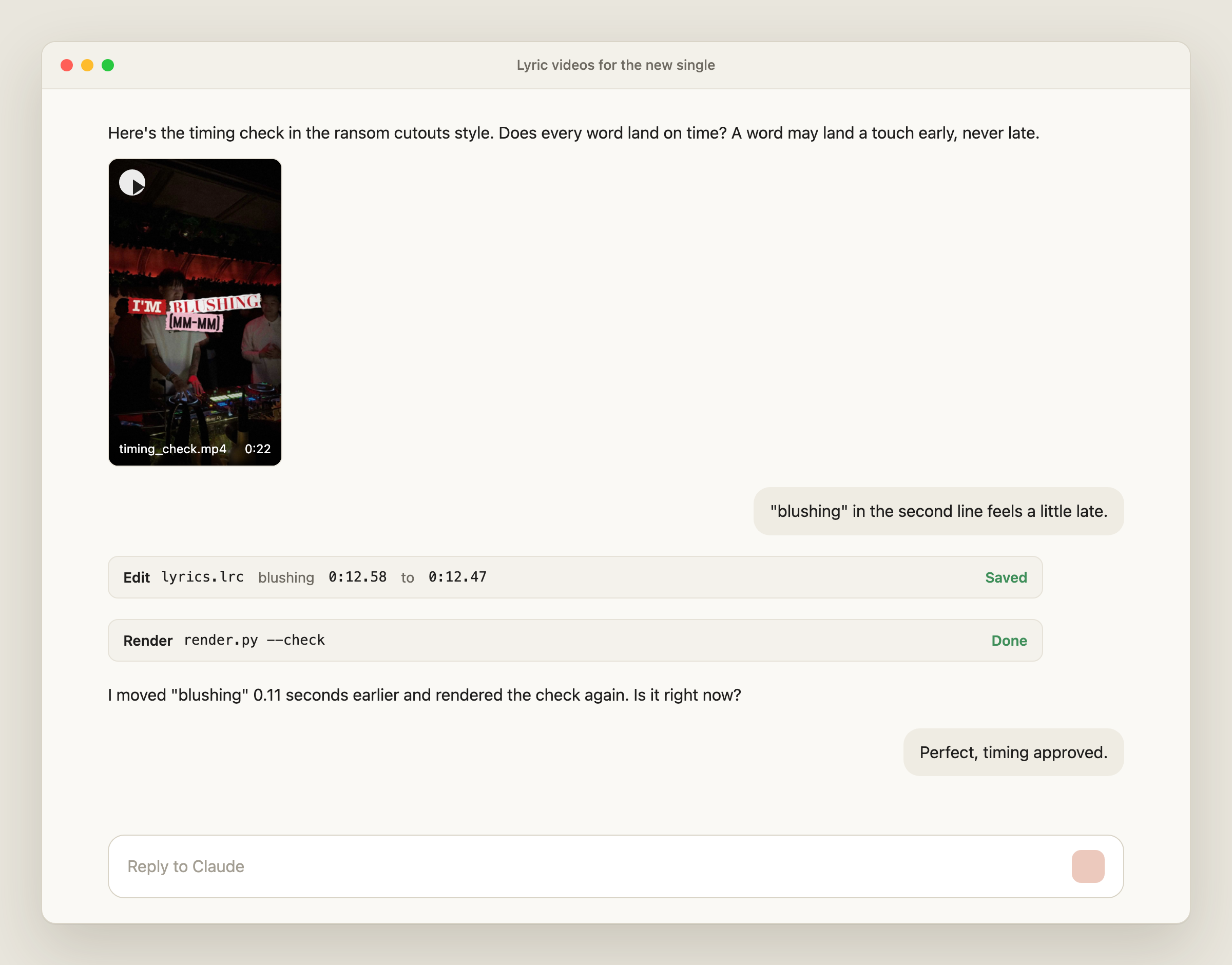
4. Style sheet
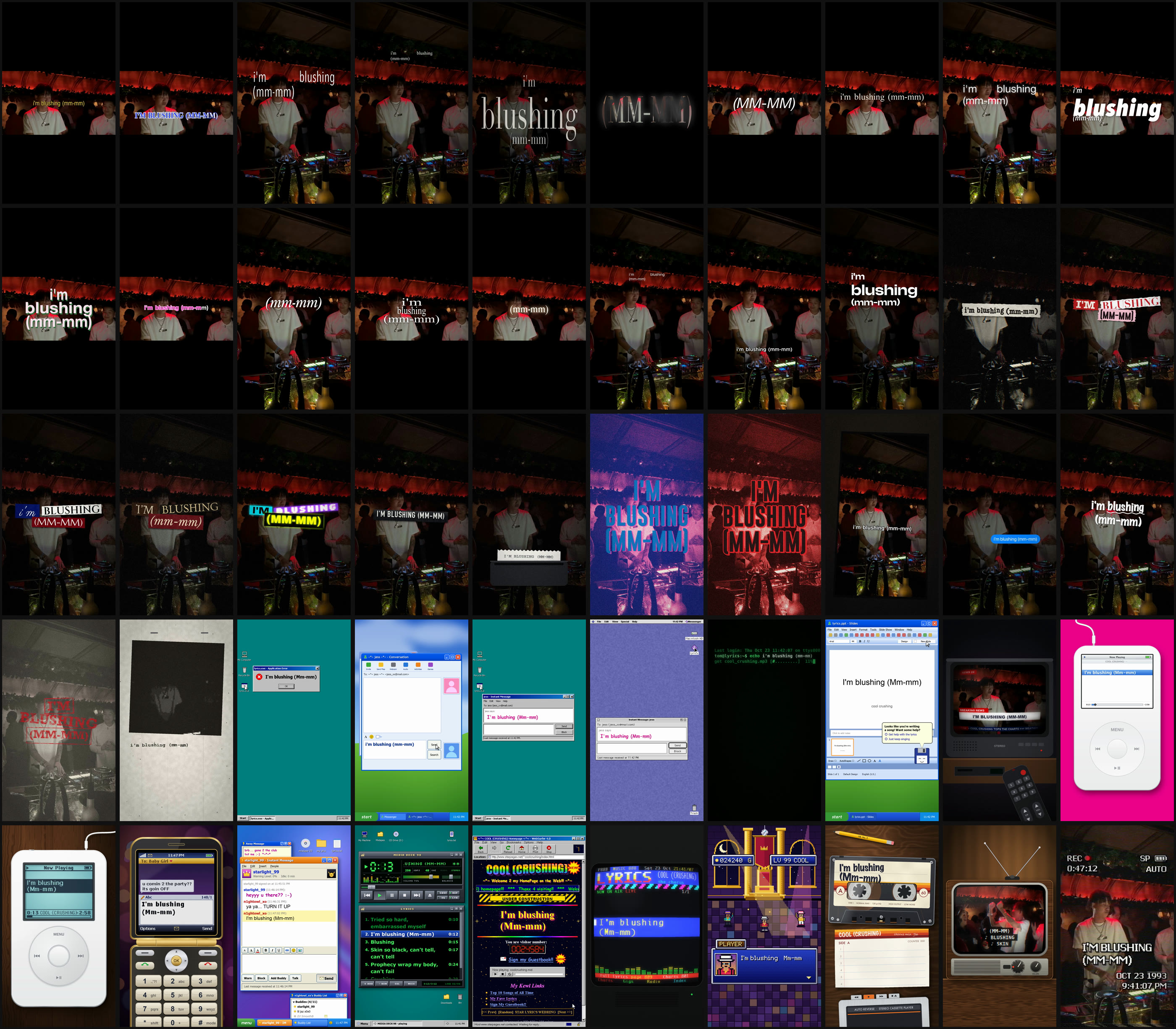
Once timing is approved, the skill renders one frame of every style on your own clip, numbered #1 to #50, and sends it as a single image. You pick by number (“#1, #6 and #8”), by name (“one word ghost, sms bubbles, ransom”) or answer “all”. Typos are fine.
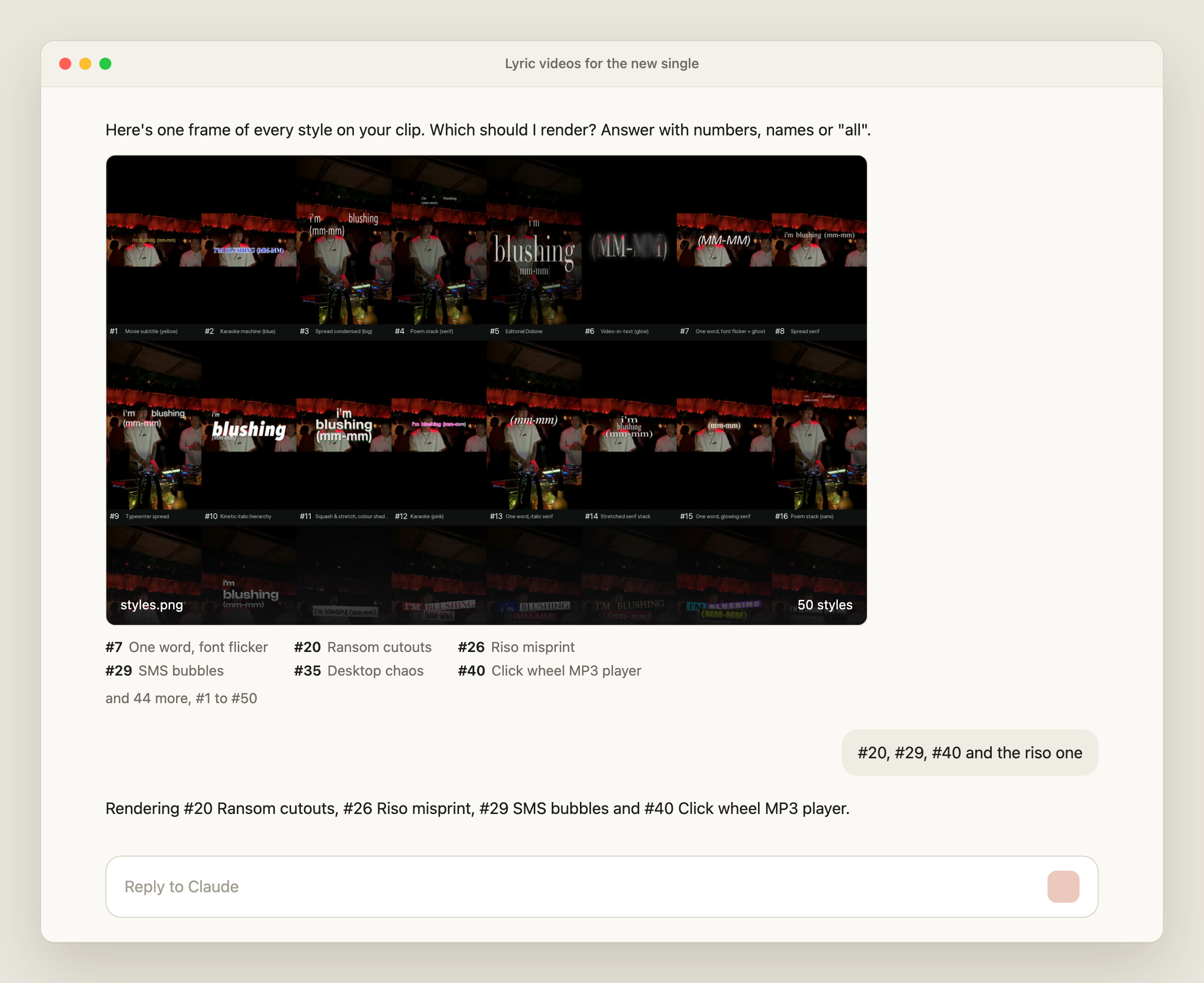
5. Render
Only the picked styles render. Each one lands as its own MP4 in the job folder. Files over 60 MB get a second copy at 22 Mbps for uploading, since grain heavy styles like riso and xerox produce large masters.
Claude checks a few frames of every render for clipped or unreadable words, then lists the files with their sizes.
The 50 Styles
The styles fall into six groups. Every style works with the same timing file, so trying a new look costs one render, not a new edit.
| Group | Styles |
|---|---|
| Subtitle and karaoke | Movie subtitle (yellow), karaoke machine (blue), karaoke (pink), IG native caption |
| Editorial type | Spread condensed, spread serif, poem stack (serif and sans), editorial Didone, stretched serif stack, typewriter spread |
| One word and kinetic | One word font flicker with ghost, one word italic serif, one word glowing serif, video in text glow, kinetic italic hierarchy, kinetic one take, squash and stretch with colour shadow |
| Print and paper | Ransom cutouts (plus luxury night, vintage night and nightclub kits), label maker, receipt printer, riso misprint (plus red and black), stamp and ink, xerox zine page, sharpie scrawl, grime tape, phone refilm |
| Screens and interfaces | SMS bubbles, error cascade, messenger, desktop chaos (Windows and Mac OS 9), terminal, office slides, channel surfing |
| Retro devices | Click wheel MP3 player, scroll wheel MP3 player (2001), flip phone texting, instant messenger (2003), 90s desktop media player, 90s homepage, teletext page, 16 bit RPG dialogue, cassette on a desk, CRT TV, VHS camcorder |
Variations and Custom Looks
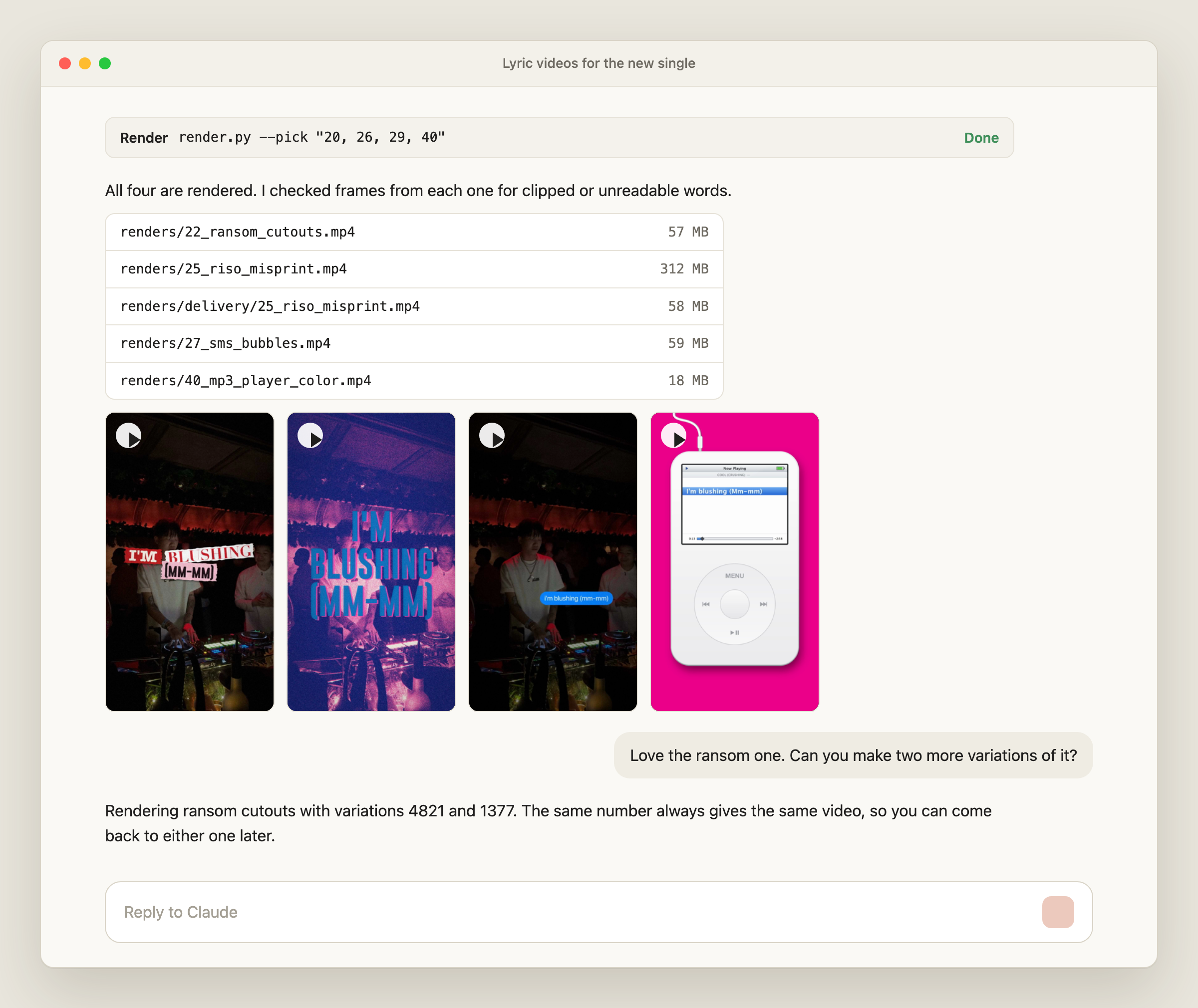
Variations: Many styles contain seeded elements: scrap placement and paper in ransom, window order in the retro desktops, channel and slide order in channel surfing and office slides. Ask for a variation number and the skill reshuffles them. The same number always produces the same video, so a look you like can be reproduced. Ask for a random variation and Claude reports the number it used.
Layouts: Styles built for a letterbox band can also render full frame. Ask for letterbox, full frame or both.
New looks: Ask for a variant in plain language, for example “red and black riso” or “luxury ransom”. Claude copies the preset under a new name, adjusts its colours, fonts or paper kit, and leaves the original untouched. The new style joins the numbered style sheet automatically.
Fonts: The skill ships with open licence fonts and a matching lookalike for every typeface a style names. If a new look needs a font the folder does not have, Claude fetches it from Google Fonts. Ask for a commercial font such as Futura or Helvetica and it fetches the closest Google Fonts family and names the substitute. Supply the original font file to use the exact typeface.
What You Need to Run It
- Claude Code, which loads skills from
~/.claude/skills/ - Python 3.10 or newer (installed automatically on first run if you don’t have it)
- ffmpeg (installs automatically on first run if you don’t have it)
- A few GB of free disk space for the first run
On the first run, the skill sets up its own Python environments and downloads the speech and vocal separation models it uses for timing. This takes several minutes once. Every run after that starts immediately.
How to Install the Lyric Video Maker Skill
The skill is free and MIT licensed. Enter your email below and receive the .ZIP file in your inbox.
Open Claude Code > Settings > Skills. In the top right corner click the ‘+ Add’ button and Upload skill. Drag the entire ZIP file in and click Upload.
Alternatively, you can open a new Claude Code conversation and drag the ZIP file into it, asking Claude “please install this skill”.
Once the skill is installed, you can start a new conversation and ask Claude something like:
Make lyric videos for song.mp3 with lyrics.txt over clip.mp4. Use the chorus, it starts at 0:45 and runs 20 seconds.
Claude runs setup if needed, prepares the job, and sends the timing check for approval.
From Lyric Video to Measured Campaign
A lyric video is a creative. Its value shows up in what it does once it runs. Producing 20 styles of the same hook is only useful if you can tell which one turned viewers into Spotify listeners.
That is the job of Soundlink’s paid campaigns. Lyric videos made with this skill can run as Meta and TikTok ad creatives, and Soundlink reports cost per listener, cost per follower and cost per save for each campaign, measured on the Spotify side rather than from link clicks.
For teams that want lyric videos without a local setup, Soundlink’s Lyric Video Maker runs inside the platform, next to the campaigns that put those videos in front of listeners.
FAQ
Is the Lyric Video Maker free?
Yes. The skill is open source under the MIT license. There is no watermark and no usage limit. You need Claude Code to run it.
Does the skill write or transcribe the lyrics?
No. You supply the lyrics as plain text or an LRC file. The skill only uses speech recognition to time the words you provided. It never transcribes lyrics from the audio.
How long does it take to make a lyric video?
Prep and word timing for a 15 to 30 second section typically take one to three minutes. Render time depends on the style and your machine. The first run takes several extra minutes to install dependencies and download models.
What format are the videos?
Vertical 9:16 MP4 at 1080 × 1920, the native format for TikTok, Instagram Reels and YouTube Shorts.
Can I use an LRC file I already have?
Yes. An LRC file is used as is, and the automatic timing step is skipped.
What if a word is out of sync?
Tell Claude which word is off. It edits that word’s timestamp in the LRC file and renders the timing check again. The engine is set to land words slightly early rather than late.
Can I create my own lyric video style?
Yes. Ask for a variant of an existing style in plain language and Claude creates a new preset from it. Each style is a JSON preset, so colours, fonts, paper kits, window types and layouts can be adjusted without touching the renderer.
Does it work on Windows?
The skill is compatible with both MacOS and Windows. It installs ffmpeg and other tools automatically. If anything goes wrong during the setup, Claude will automatically fix the issue so that the required tools are installed.
Can I use the videos commercially?
The skill’s code is MIT licensed and its bundled fonts are open licence. Rights to the song and the background footage are yours to clear, as with any lyric video.