
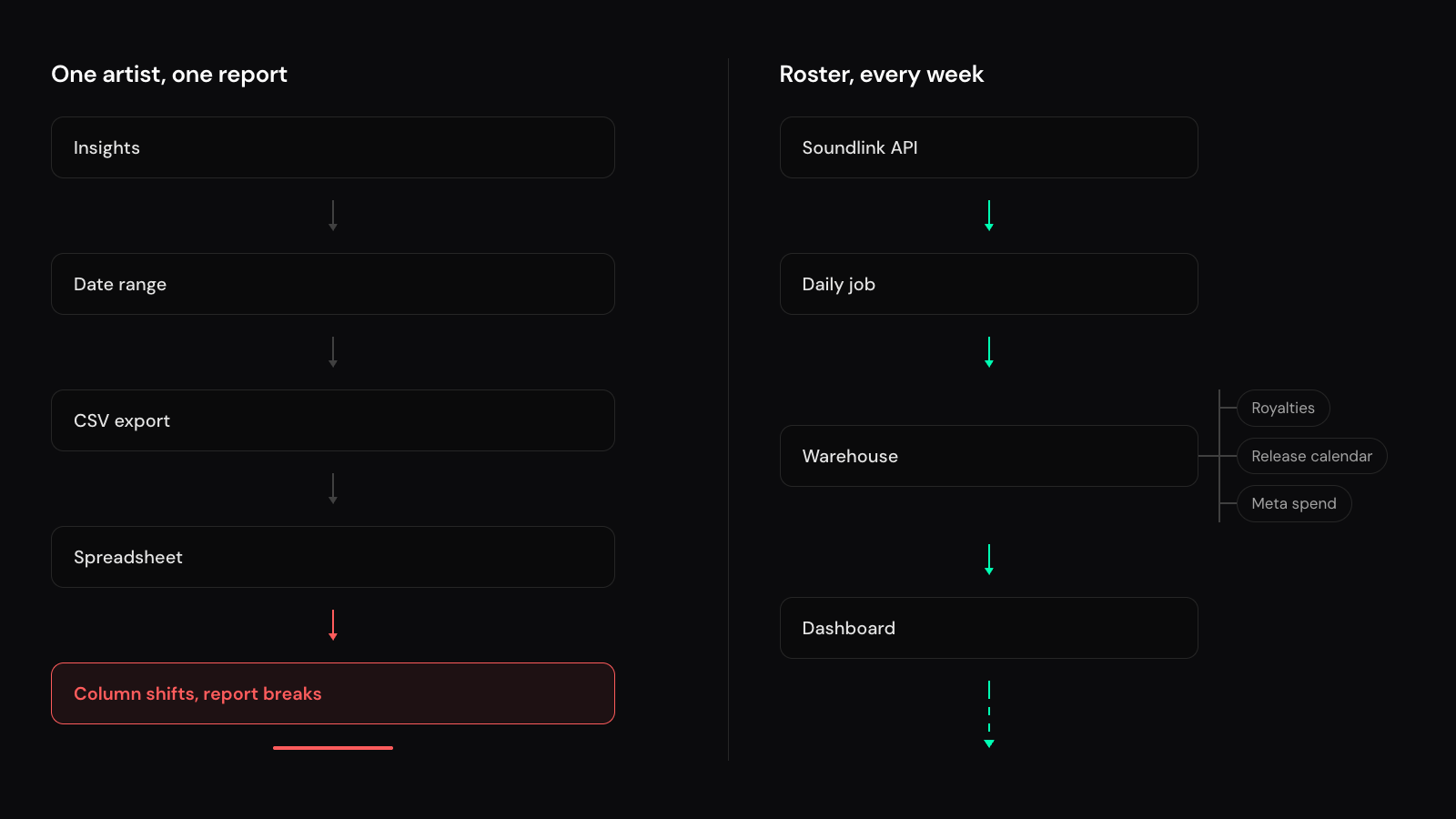
Every label and agency running paid campaigns ends up in the same loop. The campaign ran last week, someone needs spend, streams, and followers by country for the Friday roster review, and the fastest path is opening Insights, picking a date range, exporting, and pasting into a spreadsheet that breaks whenever a column shifts.
That works for one artist. It stops working when you manage a roster, run a distributor-level report, or build a product on top of campaign data for your own clients.
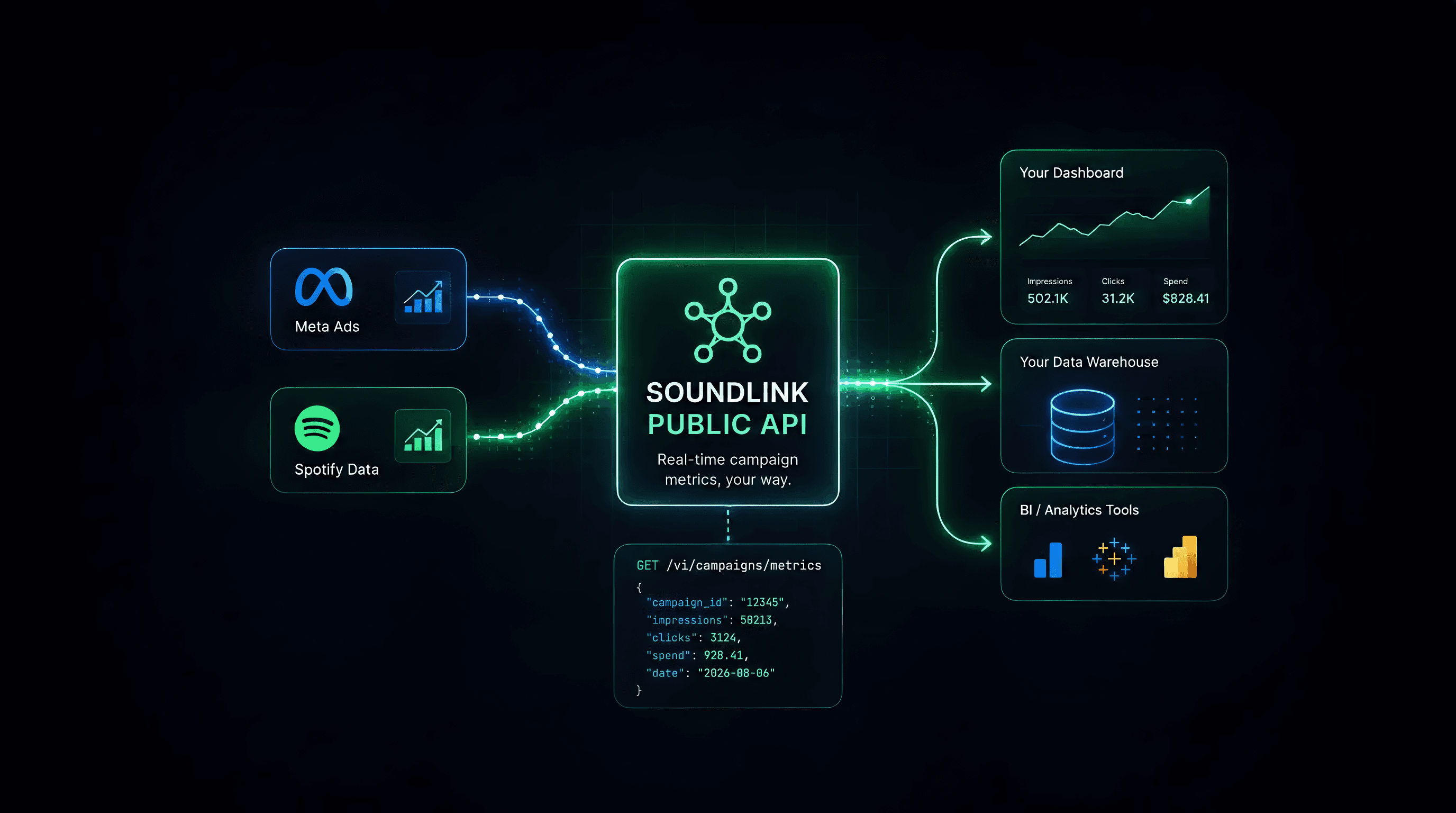
The Public API is how you stop doing that by hand. Field lists and curl live in the developer docs. This post is the map: which layer to call, what to build first, and which page to open.
This is the first post in a series about connecting paid promotion to Spotify outcomes and royalties. We start with the plumbing: getting Soundlink campaign data into your own stack.
TL;DR
If the same campaign report has to land in Looker, BigQuery, or a dashboard you own, use the Public API. Create a key as an owner or admin, sync the campaign catalog, then pull the layer that matches the question — overview for campaign totals, country breakdown for markets, engagement for catalog spillover after the campaign ends. Warehouses should use JSONL exports (90 days per request). How-to: Quickstart → Syncing campaigns → Understanding metrics → JSONL exports.
When the API is worth it (and when it is not)
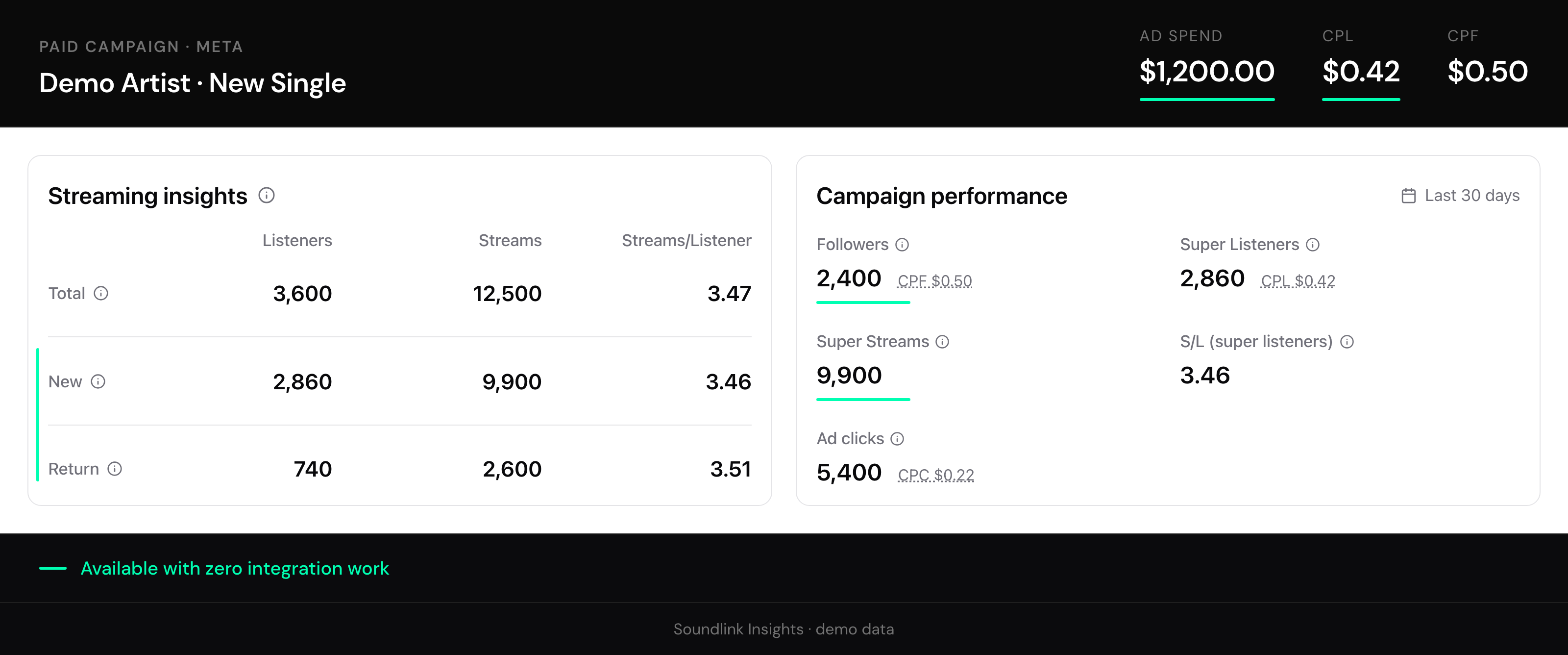
You do not need the API for a one-off deck or a single campaign health check. Insights already shows spend, CPL, streams, followers, and new vs returning listeners. Stay there unless those numbers have to live in another system on a schedule.
The API pays off when:
- The same report runs every week across a roster
- Campaign spend has to sit next to royalties, release calendars, or Meta spend from other tools
- An agency or platform product needs Soundlink numbers inside its dashboard, not yours
If that is you, keep reading. If not, stay in Insights.
What the API covers
This post is the read path: campaigns in, metrics out.
You can also create and manage campaigns — change budget, update geographic tiers, stop delivery — and import videos by URL for Full Control creatives. That is a different job. Creating a campaign or adding budget uses wallet credits.
Partner products that need a customer’s organization should use OAuth, not a shared sk_*. If the problem is the weekly roster numbers in a warehouse, skip write and OAuth and go to the metrics layer.
Start from For Developers for the full index, or getsoundlink.com/developers for the product overview.
Pick the metrics layer before you write a job
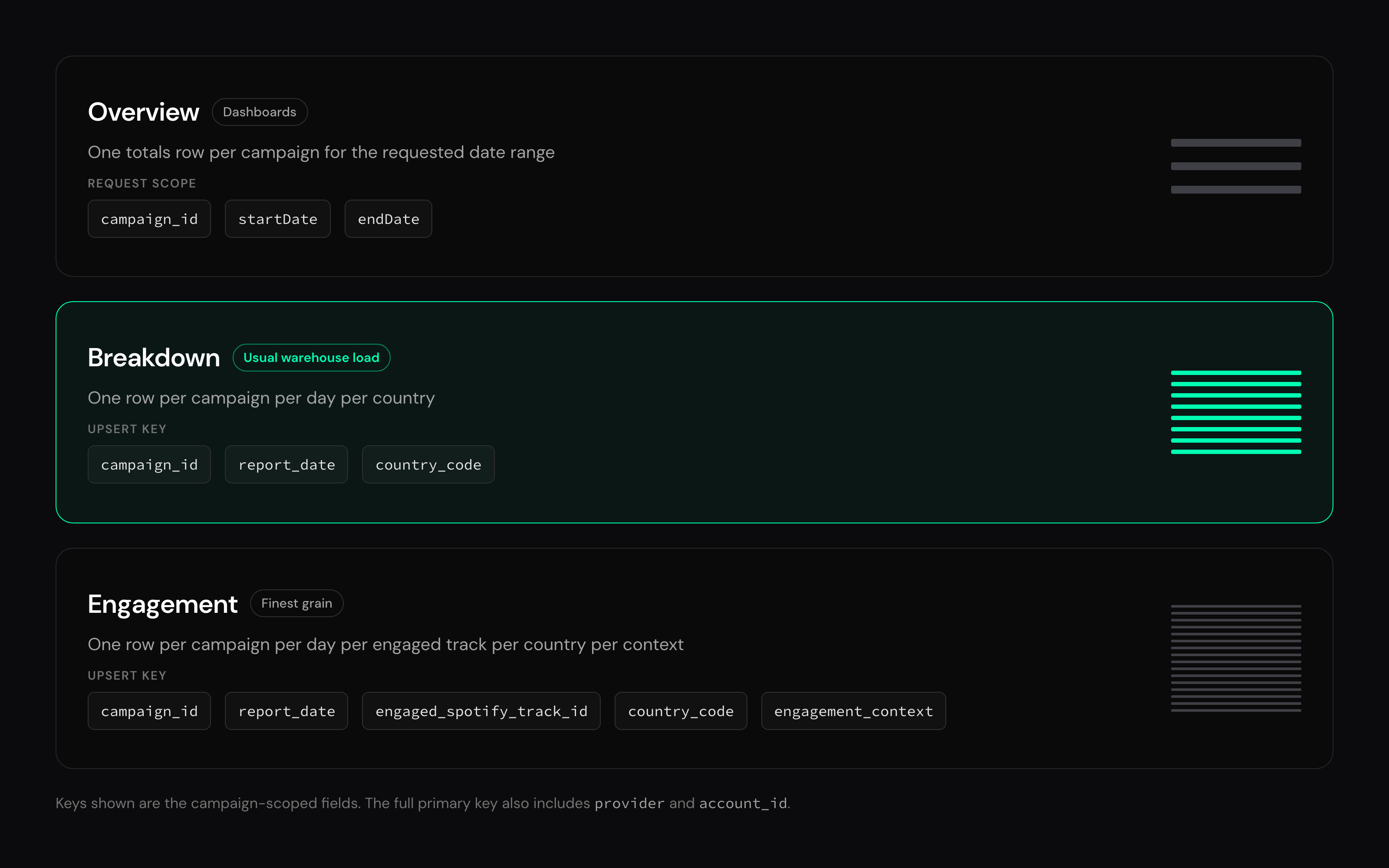
Most broken integrations mix grains in one table. The API exposes three layers on purpose. The docs spell out fields and endpoints; the decision is which question you are answering:
| Question you are answering | Layer to use | Docs |
|---|---|---|
| What did this campaign produce in the date range? | Overview (campaign totals for the window) | Understanding metrics |
| Which countries are working? | Breakdown (per day, per country) | Understanding metrics |
| Which tracks moved, including after the campaign ended? | Engagement export (per day, per track, per country, catalog vs playlist) | Understanding metrics |
| Loading a warehouse without pagination | Breakdown / engagement JSONL (max 90 days per request) | JSONL exports |
Two gotchas that show up in reviews more than anything else:
- Click-through rates live on breakdown rows, not overview. If your dashboard needs CTR next to spend, you are aggregating breakdown.
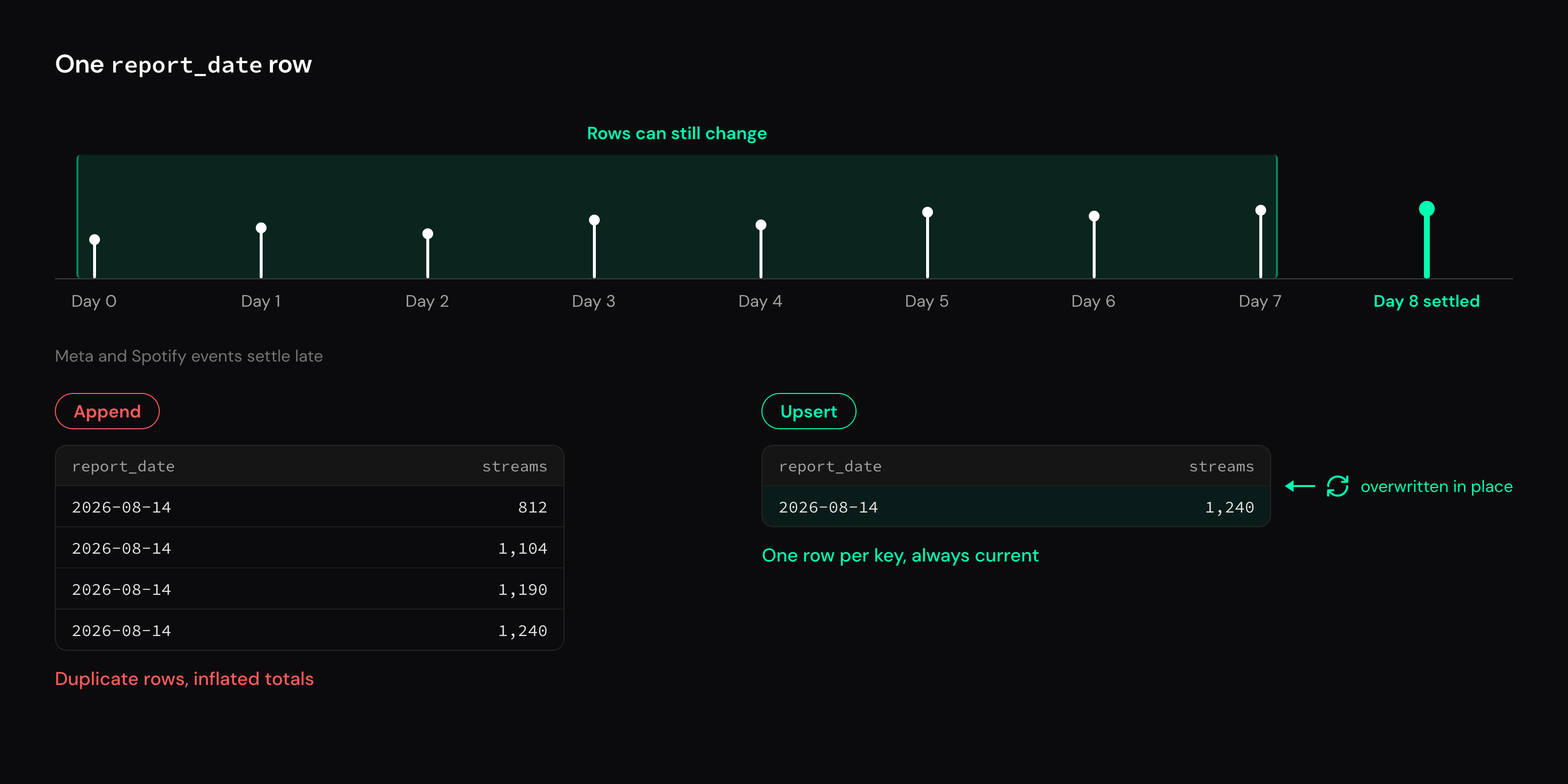
- Rows for a given
report_datecan change for 7 days. Meta and Spotify events settle late. Re-upsert that window on the primary keys in Understanding metrics.
Overview has spend, listeners, streams, followers, and CPL — not a new/returning split. That split is on engagement rows. Do not sum engagement listeners across days: the same listener can appear on multiple dates, which quietly inflates audience and any cost-per-listener you derive from it. Engagement keys also include country_code and engagement_context — upserting on campaign + date + track is not enough.
The sync shape (then open the docs)
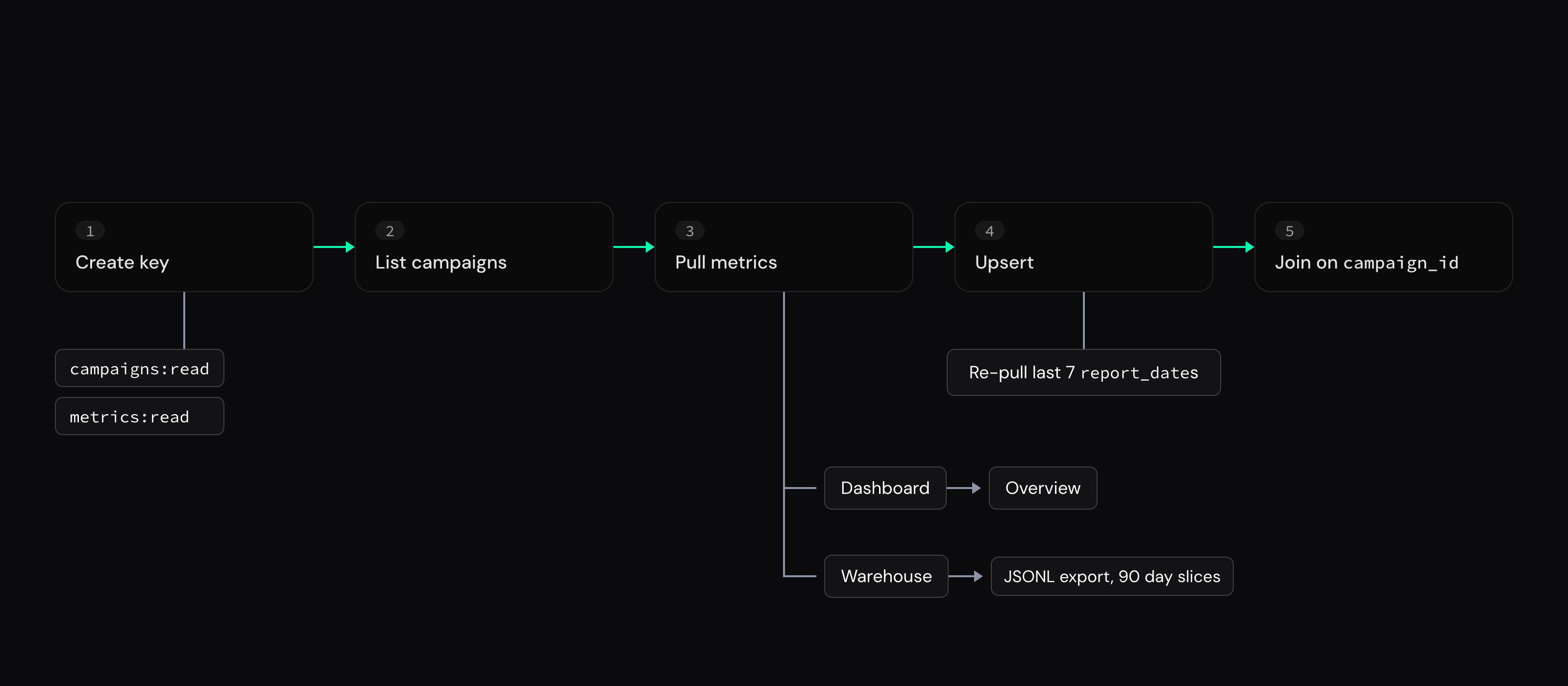
A durable daily job looks like this:
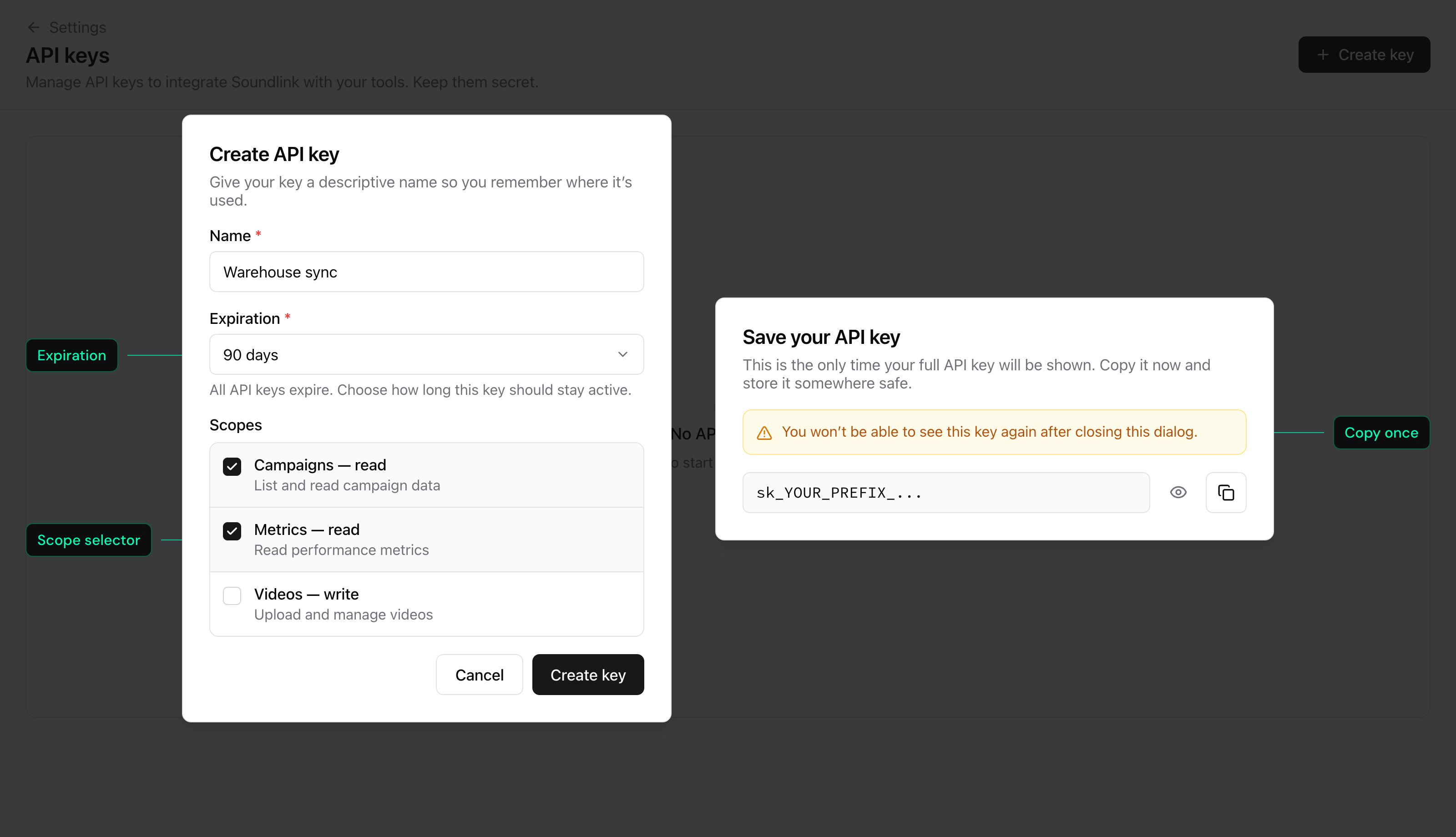
- Create a key as an organization owner or admin under Settings → Developer → API keys, with
campaigns:readandmetrics:read. Scopes, expiration, and the copy-once secret: Authentication. - Ping, then list campaigns into a dimension table. You need
campaignIdbefore any metrics call — Quickstart and Syncing campaigns. - Pull metrics for each campaign you care about. Dashboards can use overview. Warehouses should use JSONL export; slice history into 90-day windows.
- Upsert, do not append, on the primary keys in the metrics guide. Re-pull the last 7 report dates so delayed events overwrite stale rows.
- Join on
campaign_id. Track campaigns also carry ISRC and Spotify track id on the row; playlist campaigns do not.
Keys are scoped to one organization. Multi-org reporting means one key per org, or OAuth for partner products.
Ping proves the key works. Copy list and metrics curl from the Quickstart, not from here:
curl -sS 'https://api.getsoundlink.com/v1/ping' \
  -H 'Authorization: Bearer sk_YOUR_PREFIX_YOUR_SECRET'
For Node, the soundlink package wraps the same routes with typed helpers and JSONL streaming — SDK overview and TypeScript guide. Python and other stacks use plain REST; there is no published Python package yet.
Mistakes that burn a sprint
Building the pipeline before picking the grain. You end up with a table that cannot answer the weekly roster question without re-aggregating incorrectly. Decide overview vs breakdown vs engagement first.
Using paginated breakdown for a full warehouse backfill. Pagination is for small probes. Bulk loads belong on the export endpoints. Each export is capped at 90 days — page longer histories in slices.
Ignoring rate limits on a big roster. Limits are per key. Fan out hundreds of campaigns as fast as the runtime allows and you will collect 429s. Prefer one export per campaign over many tiny pages, and honor Retry-After — Errors.
Putting the API key in a browser or mobile app. Call Soundlink from your backend. The key is a secret.
Assuming API keys work across customer orgs. If you are embedding metrics for someone else’s Soundlink workspace, you want Soundlink OAuth, not a shared sk_*. When the org has OAuth apps enabled, that page is Settings → Developer → OAuth apps. Otherwise start from the OAuth guide.
Docs map (bookmark this)
| Job | Page |
|---|---|
| First successful call | Quickstart |
| Keys, scopes, Bearer auth | Authentication |
| Campaign catalog sync | Syncing campaigns |
| Which metrics endpoint | Understanding metrics |
| Warehouse / BigQuery ingest | JSONL exports |
| Node / TypeScript client | TypeScript SDK |
| Create / budget / stop campaigns | Creating campaigns, Managing campaigns |
| Partner / multi-tenant access | Set up Soundlink OAuth |
Error codes and requestId |
Errors |
| Interactive schemas | API Reference |
Frequently Asked Questions
Do I need the API to report on Soundlink campaigns?
No. Use Insights for ad-hoc reporting. Use the API when the report is recurring, multi-artist, or has to join data Soundlink does not hold.
Overview, breakdown, or engagement — which one for a daily warehouse load?
Usually breakdown export. Add engagement export if you also track catalog spillover or playlist position. Details in Understanding metrics.
Can I create campaigns through the API?
Yes — create campaigns, change budgets, update tiers, and stop delivery. Start at Creating campaigns. This post stays on the metrics sync path.
Who can create an API key?
Organization owners and admins, under Settings → Developer → API keys. Members see the item in Settings but cannot open the page.
We are building a product on top of Soundlink. API keys or OAuth?
OAuth. Keys are for your own org. Partner apps that act on a customer’s org use Authorization Code + PKCE, then Client Credentials for unattended access.
If you already run campaigns with Soundlink, the fastest useful step is small: create a key with the two read scopes, follow the Quickstart through ping and list campaigns, then wire the metrics layer that matches your report.
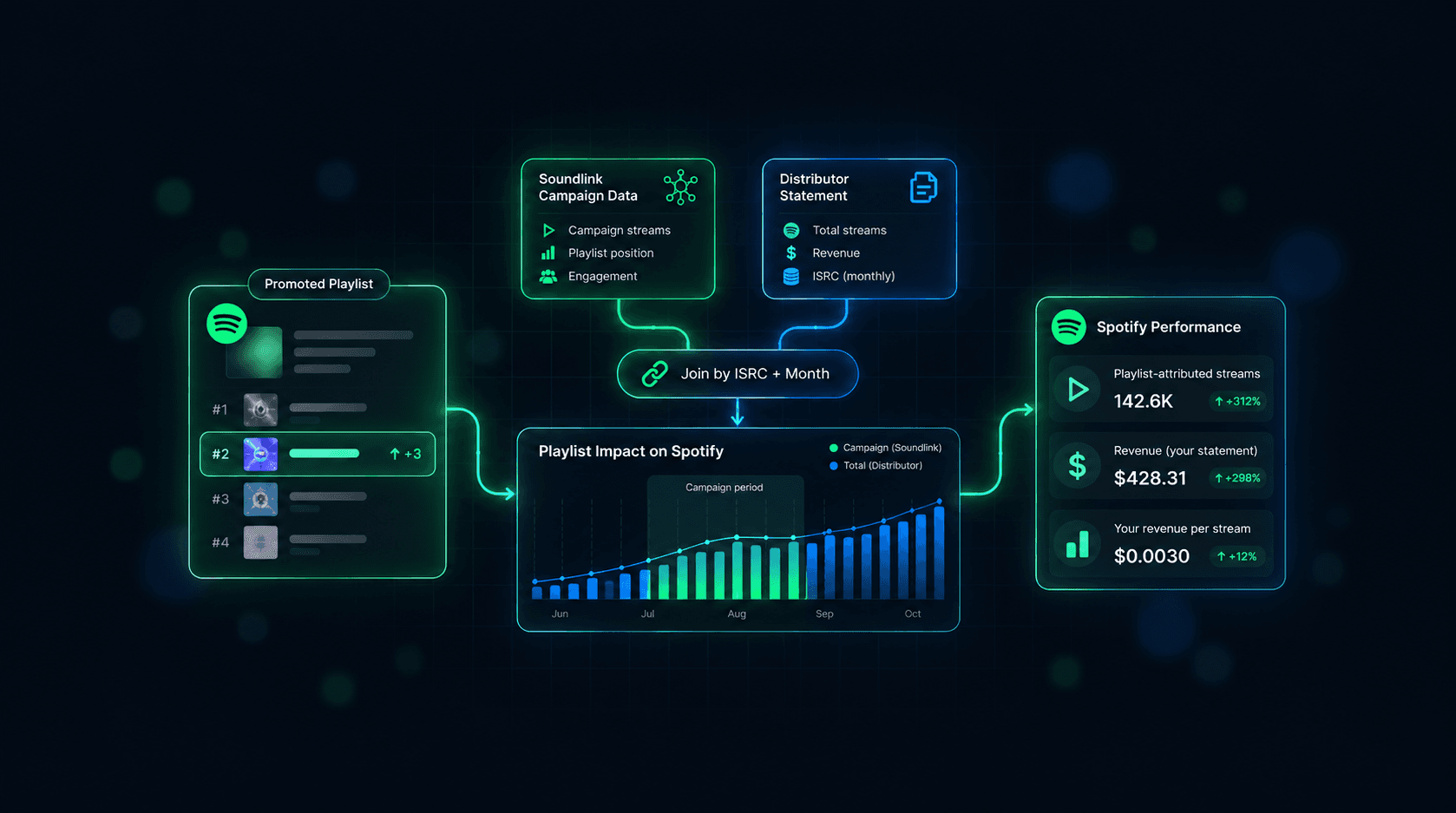
Next in the series: joining engagement exports with distributor data to measure a playlist’s Spotify impact over time, then rolling campaign spend up by artist or label.